A takedown request lands in your inbox. A regulator asks for proof. A rights holder disputes usage. The clock starts, and suddenly everyone needs the exact moment something happened, along with the documentation explaining why it was allowed.
This is where media indexing stops being a “nice to have” for search and becomes operational insurance for rights, legal, and compliance teams.
When media is indexed correctly, with timecoded metadata, you can build a timecoded evidence pack that is consistent, repeatable, and defensible, without asking editors to scrub timelines or rebuild clips at the worst possible time.
What Media Indexing Means In Rights And Clearance Work
Media indexing is the process of analyzing time-based media and attaching structured metadata to specific moments, making them searchable and retrievable. Modern indexing often includes speech-to-text, visual recognition (objects, logos, on-screen text), and audio analysis, all tied back to timecodes.
For rights and clearance teams, the value is simple: you are not searching for a file, you are searching for an event inside the file.
Examples of rights and clearance questions that media indexing should answer quickly
- Where does a brand logo appear, and for how long
- Where is licensed music audible, and what portion is used
- Where does a disclosure appear on screen?
- Where is a claim stated in dialogue, and what is the exact wording
- Where does a third-party clip appear inside a longer program?
When indexing writes time-coded markers back into the tools your teams already use, like PAM, MAM, and NRCS systems, it becomes usable in real workflows, not just in a separate search portal.
Why Legal And Compliance Teams Need Timecoded Evidence Packs
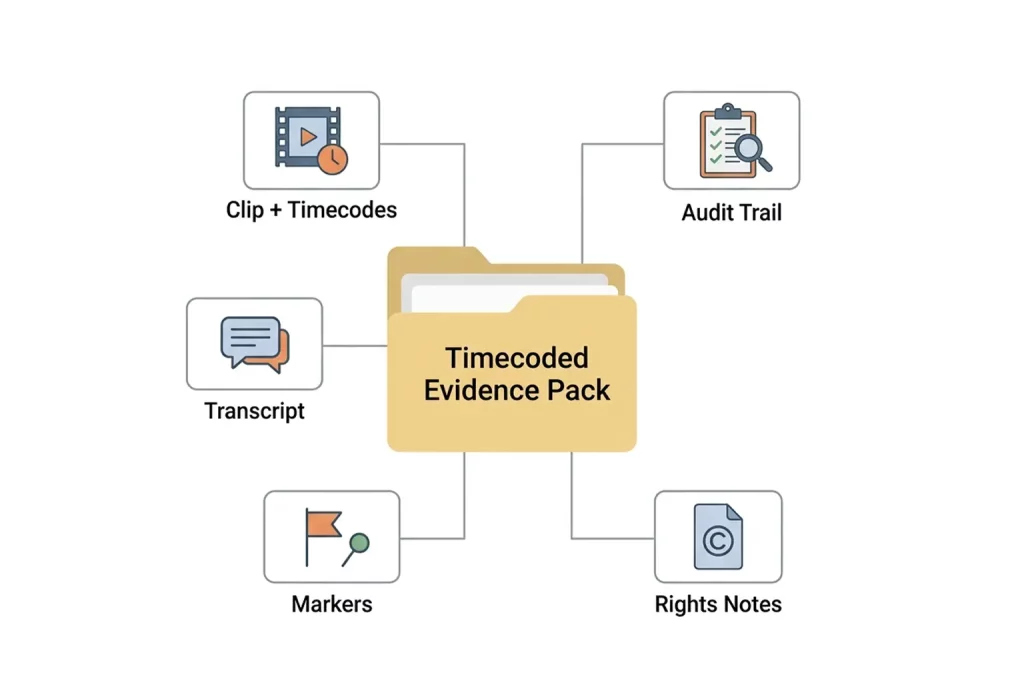
A timecoded evidence pack is a standardized package that documents what happened, when it happened, and the decisions made about it.
It is especially useful when
- You need to respond to regulators, complaints, or legal requests quickly with precise evidence.
- You must verify what aired across linear, OTT, FAST, or multi-channel outputs, and ensure the documentation is time-aligned and exportable.
- You need a consistent clearance trail, including records of searches, dates, sources checked, and decision outcomes.
Compliance monitoring vendors often describe the core requirement in practical terms: every second of transmitted content must be verifiable, and the system should support time-coded logging, searchable playback, and clipping for rapid response.
The difference between “we believe this is what happened” and “here is what happened” is usually a timecode.
What Counts As Timecoded Metadata
Timecoded metadata is structured data mapped to a specific time range in audio or video, so you can jump directly to the exact moment, not just the asset.
Common types of timecoded metadata used in rights and compliance workflows
- Timecoded transcripts, captions, and speaker turns
- Logo and brand detection ranges
- On-screen text detection ranges (lower thirds, disclaimers, chyron text)
- Music and audio event ranges
- Policy flags (profanity, political content, restricted content categories)
- Manual review markers (approved, needs clearance, replace, remove)
- Provenance fields (who approved, what rule applied, what version ran)
A good indexing approach treats time, identity, and lineage as non-negotiable because every downstream decision depends on alignment.
Evidence Pack Checklist: What To Include Every Time
A reliable evidence pack is not just a clip. It is a set of artifacts that make the clip understandable and defensible for someone who was not in the edit bay.
Here is a practical checklist you can standardize.
Evidence Pack Components Table
| Component | What It Proves | Notes For Legal And Compliance Teams |
| Asset Identifiers | Which file and version is in scope | Include asset ID, title, version, and storage location reference |
| Time Range | Exactly where the issue occurs | Use in/out timecodes, plus program start reference where relevant |
| Review Clip Export | Visual, audible proof | Keep exports consistent (format, watermark, naming) |
| Timecoded Transcript Or Captions | Exact wording and context | Enables fast verification and keyword search |
| Timecoded Markers | What the system detected and where | Logos, text, topics, policy flags, or manual markers |
| Rights And Clearance Notes | Why is usage permitted | Link licenses, releases, cue sheets, and internal approvals |
| Audit Trail | Who did what, and when | Reviewer identity, timestamps, decisions, model, and ruleset version |
| Chain Of Custody Summary | Evidence handling integrity | Where the media came from, how it was exported, and where stored |
| Search Record (When Applicable) | Due diligence | Search terms, sources checked, date of checks |
If you operate in broadcast environments, you may also need supporting logs, such as as-run alignment, loudness records, and related compliance metadata, depending on the inquiry.
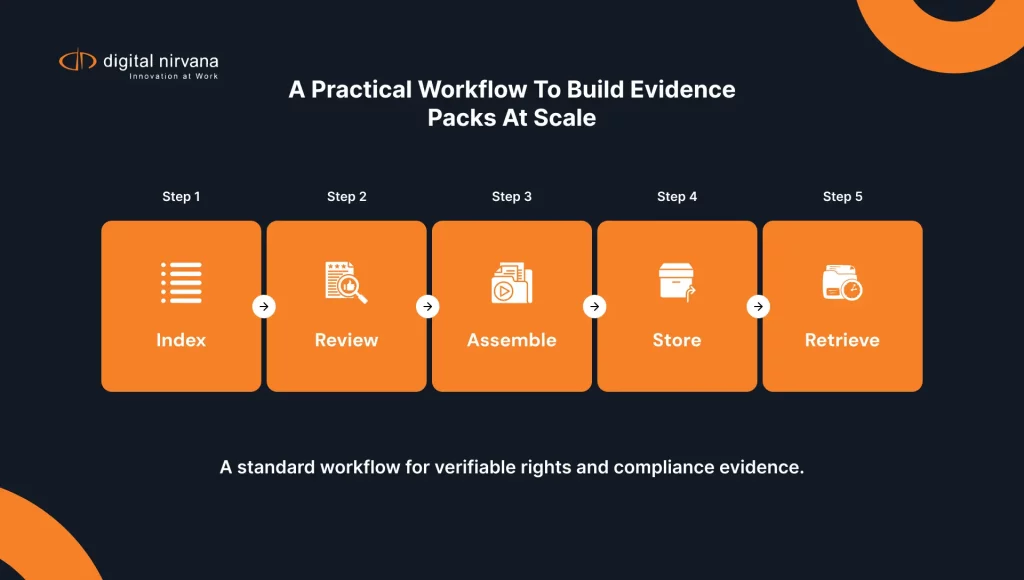
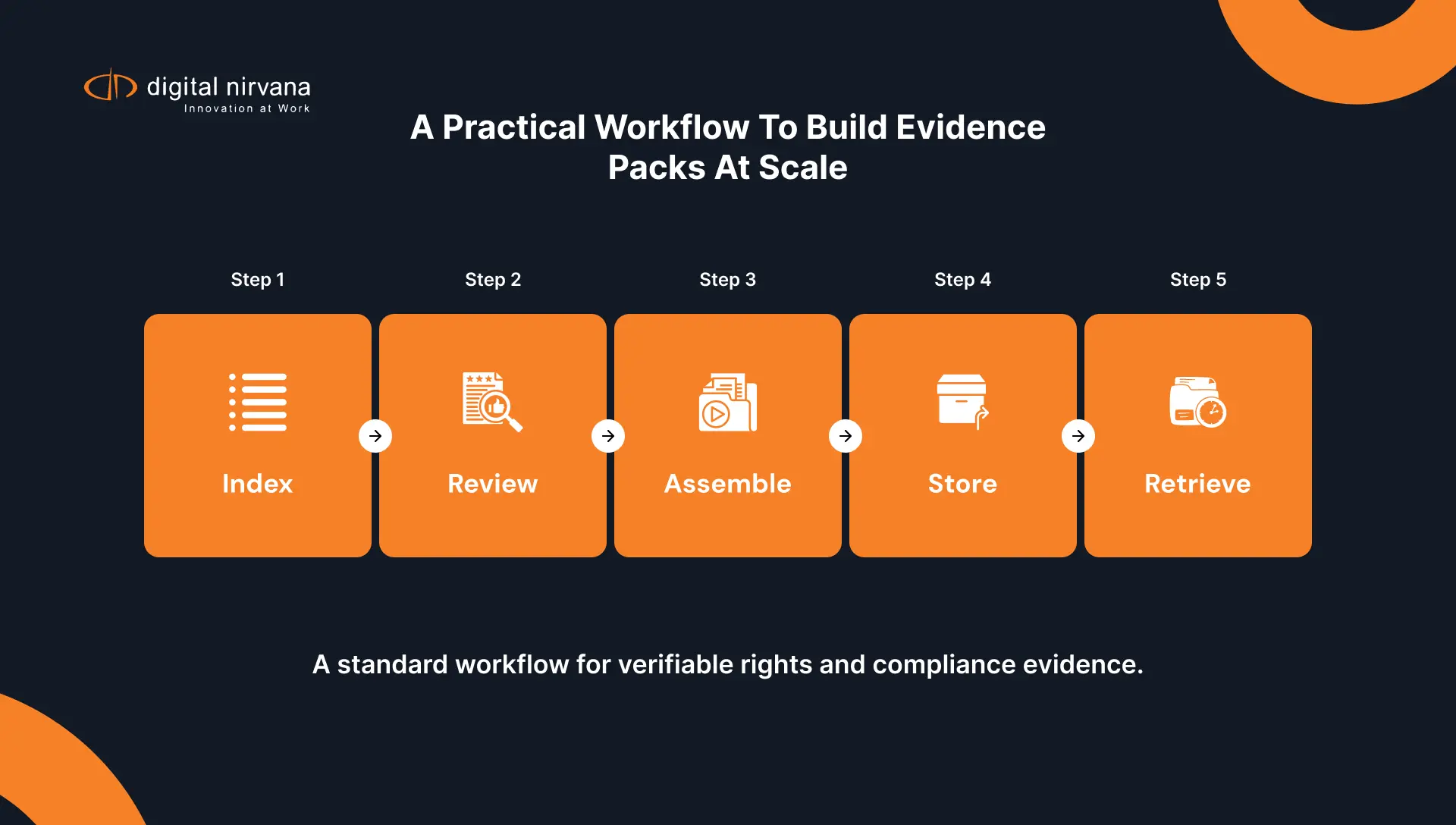
A Practical Workflow To Build Evidence Packs At Scale
The goal is repeatability. You do not want a hero workflow that works only when one person is available.
Step 1: Define Evidence Pack Triggers And Owners
Start with the triggers that cause a request
- Rights disputes
- Regulatory inquiries
- Standards and practices escalations
- Sponsor or advertiser proof-of-performance requests
- Internal investigations
Assign owners for
- Content identification (what asset and what version)
- Rights documentation (licenses, releases, restrictions)
- Compliance validation (what policy was applied)
- Export and retention (where the pack is stored and how long)
Step 2: Index Content With A Rights And Compliance Lens
Most indexing programs are built for editorial search first. Rights and compliance need a slightly different lens.
Indexing priorities to tune for
- On-screen text and disclaimers
- Logos and brand marks
- Spoken claims and sensitive phrases
- Music presence and changes
- Named entities (people, brands, locations) that affect clearance risk
This is where automated, time-coded metadata becomes a practical advantage, because legal review can locate disclosures, claims, or release needs without manually reviewing entire files.
Step 3: Push Timecoded Results Back Into Production Systems
Evidence packs get built faster when the metadata already lives where teams work.
A strong workflow writes time-coded markers back into PAM, MAM, and NRCS systems, and can also deliver sidecar files or push metadata into downstream compliance and distribution systems.
Step 4: Add Human Review Where Risk Is High
Not all tags carry the same risk.
A practical approach
- Auto-apply low-risk discovery tags
- Route high-risk tags to review queues, for example, logos, political content, sensitive disclosures, or restricted categories
- Track outcomes so the system improves and reviewers stay consistent
Step 5: Assemble The Evidence Pack With A Standard Template
Make the output predictable, so legal teams do not have to interpret a new format each time.
A simple assembly flow
- Select asset version and time range
- Export clip with consistent naming and timecode overlay rules
- Export timecoded transcript or caption segment
- Export the timecoded markers for the range
- Attach rights documentation references
- Attach the audit trail for the relevant tags and decisions
Step 6: Store, Retain, And Retrieve
Evidence packs are only useful if you can find them later.
Record
- Pack ID
- Case or ticket reference
- Retention policy
- Access controls
If your environment includes compliance logging and monitoring, align archived proof with common timecodes and metadata so live alerts and archived evidence match.
Governance That Makes Evidence Defensible
If someone challenges your evidence, you need more than a clip. You need to show how decisions were made.
A useful governance model includes audit trails that record actions without overwriting history, so you can prove what changed, who approved it, and when.
What To Log For Timecoded Metadata Decisions
Recommended audit trail fields
- Asset ID and time range
- Metadata type and value
- Confidence score and threshold rule
- Model version and ruleset version
- Action taken (auto-applied, held, reviewed, rejected)
- Reviewer identity
- Timestamp of decision
This level of detail supports internal investigations, coaching, and compliance defensibility, especially when a decision is questioned months later.
If your clearance process also requires evidence of due diligence, keep records of searches, dates, sources checked, and documented outcomes.
Common Failure Points And How To Avoid Them
Timecode Mismatch Between Video And Transcript
This happens when the media is repackaged, segmented, or transcoded, and the transcript keeps the old reference.
How to reduce it
- Establish a single “source of truth” time reference per asset version
- Preserve sidecars and marker tracks alongside the media
- Validate offsets before exporting evidence packs
- Use a repeatable export format and naming standard
Evidence That Is Hard To Interpret
Legal teams should not have to guess what they are looking at.
Fix it by including
- A short case summary
- Clear in/out timecodes
- Transcript snippets for the exact range
- A marker summary that explains what was detected and why it matters
No Audit Trail For Decisions
If the pack relies on “the system said so,” it is easier to challenge.
Make audit logging part of the workflow, not a separate process.
Where MetadataIQ Fits In This Workflow
MetadataIQ is designed to automate media indexing and integrate the results into real broadcast and production environments, including PAM and MAM systems, with an emphasis on compliance-sensitive tagging and audit-ready outputs.
Practical ways teams use it for evidence pack workflows
- Generate timecoded transcripts and metadata, then push results back into Avid or MAM environments as markers or sidecar files.
- Apply rules-based tagging for compliance-sensitive needs, including disclosures, profanity, political content, and brand mentions.
- Track metadata quality and maintain governance with dashboards and audit logs, so decisions are defensible.
- Support live or near-real-time tagging workflows where time-coded markers can be written back into systems quickly.
If your evidence pack also needs to include proof of what aired, MonitorIQ complements indexing by capturing, storing, and exporting audit-ready clips and logs for compliance and proof-of-performance workflows.
Meet Digital Nirvana At NAB Show 2026
If you’re heading to NAB Show 2026, stop by to see how Digital Nirvana helps teams automatically turn live and recorded video into structured, searchable intelligence. You’ll get a workflow-focused look at how MetadataIQ supports faster review, better discovery, and smoother handoffs across production, compliance, and distribution.
You can meet the team at Booth N1555 in Las Vegas, April 19–22, 2026. If you want dedicated time, book a demo slot ahead of the show.
FAQs
Basic tagging often describes the asset at a high level. Media indexing ties metadata to time ranges inside the asset, so you can find the exact moment a logo appears, a phrase is spoken, or a disclosure is shown.
At minimum, include the clip export, exact in/out timecodes, a timecoded transcript or captions, the relevant markers, and an audit trail that shows who approved what and when.
Because they let reviewers jump directly to the moment that matters, validate wording precisely, and respond faster to inquiries without having to replay entire files.
Use audit trails that include time range, confidence scores, model and ruleset versioning, reviewer identity, and timestamps. This turns a claim into a verifiable record.
Clearance processes benefit from documented records, including what was checked, where it was checked, when it was checked, and what decision was made. Evidence packs help by attaching timecoded proof and consistent records to those decisions.
No. It improves evidence quality and response speed, but legal interpretation and clearance standards vary by jurisdiction and organization.
Conclusion
Rights and compliance requests rarely arrive at a convenient time. The teams that handle them best usually have the same advantage: their media is already indexed, their timecoded metadata is consistent, and their evidence packs are assembled from a repeatable template instead of a scramble.
When you treat media indexing as part of your compliance and clearance infrastructure, you reduce risk, speed up responses, and make decisions easier to defend later.
Key Takeaways:
- Media indexing turns moments inside video into searchable, timecoded evidence.
- Timecoded evidence packs should include clip exports, transcripts, markers, rights notes, and audit trails.
- Governance matters as much as accuracy; log who approved what, when, and under which rules.
- Evidence pack workflows work best when time-coded markers and sidecars are written back into the PAM and MAM tools teams already use.
- MetadataIQ supports this approach by automating indexing, applying compliance-aware tagging, and enabling audit-ready outputs in production workflows.