A post-production coordinator got a delivery note back from a streaming platform last month: captions rejected, subtitles approved, transcript never requested in the first place. Three vendors, three different files, and nobody on the team could explain why the caption file failed conformance while the subtitle file passed.
This happens more often than broadcast and OTT teams like to admit. Transcription, captioning, and subtitling get used interchangeably in casual conversation, but they are three distinct outputs with different rules, different audiences, and different points where a broadcast workflow can break down.
The Core Problem: Three Outputs, One Word Habit
Most confusion starts with language. Someone asks for “captions” when they mean subtitles, or requests a “transcript” when the actual deliverable needs timed, on-screen text. That mismatch travels downstream: the wrong vendor gets briefed, the wrong file format gets delivered, and the platform’s QC team bounces it back.
For teams juggling multiple platforms (broadcast, OTT, social clips), each with its own caption and subtitle specifications, this is not a minor semantic issue. It is a recurring cause of missed delivery windows and rework.
Why the Distinction Matters More in 2026
Streaming platforms have gotten stricter about caption and subtitle conformance, and accessibility requirements under FCC and Ofcom rules continue to expand what counts as compliant. At the same time, global content distribution means a single piece of content might need a transcript for search and repurposing, captions for accessibility, and subtitles in six languages for international markets, all from the same source video.
Treating these as one undifferentiated task leads to wasted vendor spend and inconsistent quality. Treating them as three connected but distinct steps in one workflow is what actually scales.
Defining Each Term Clearly
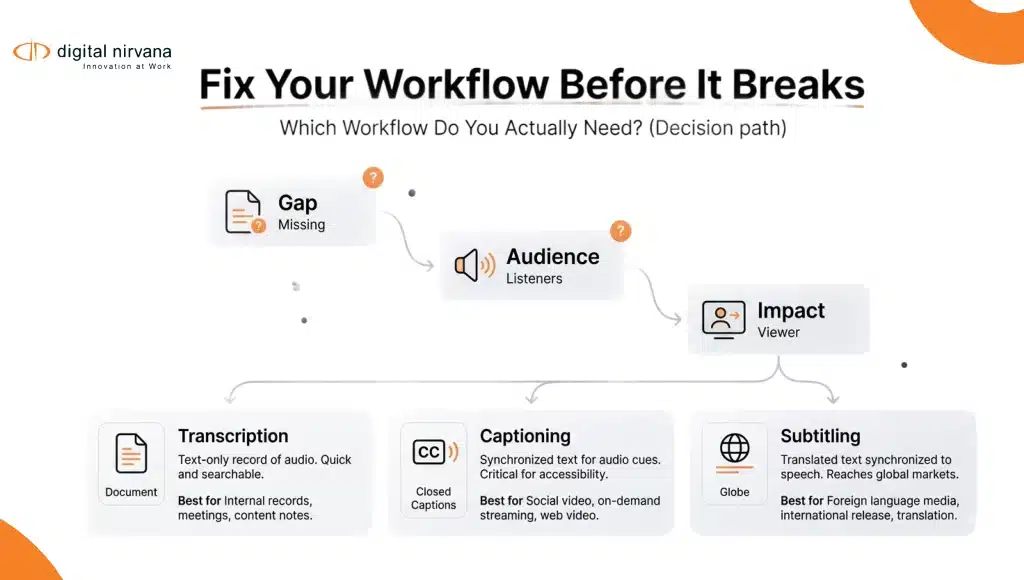
Transcription converts spoken audio into text. It has no timing requirement tied to on-screen display and no formatting rules about line length or reading speed. It exists to make spoken content searchable, reviewable, and reusable, for archives, for legal records, or as the raw source material for captions and subtitles.
Captioning takes that text and times it to the video, formatted for on-screen display, and includes non-speech information like sound effects and speaker identification. Captions are built primarily for viewers who are deaf or hard of hearing, which is why accessibility regulations focus on caption accuracy, synchronicity, and completeness.
Subtitling also times text to video, but it assumes the viewer can hear the audio and primarily needs translated or same-language text for comprehension, not accessibility. Subtitles skip most non-speech cues since the viewer can already hear them.
Where Broadcast Teams Get Tripped Up
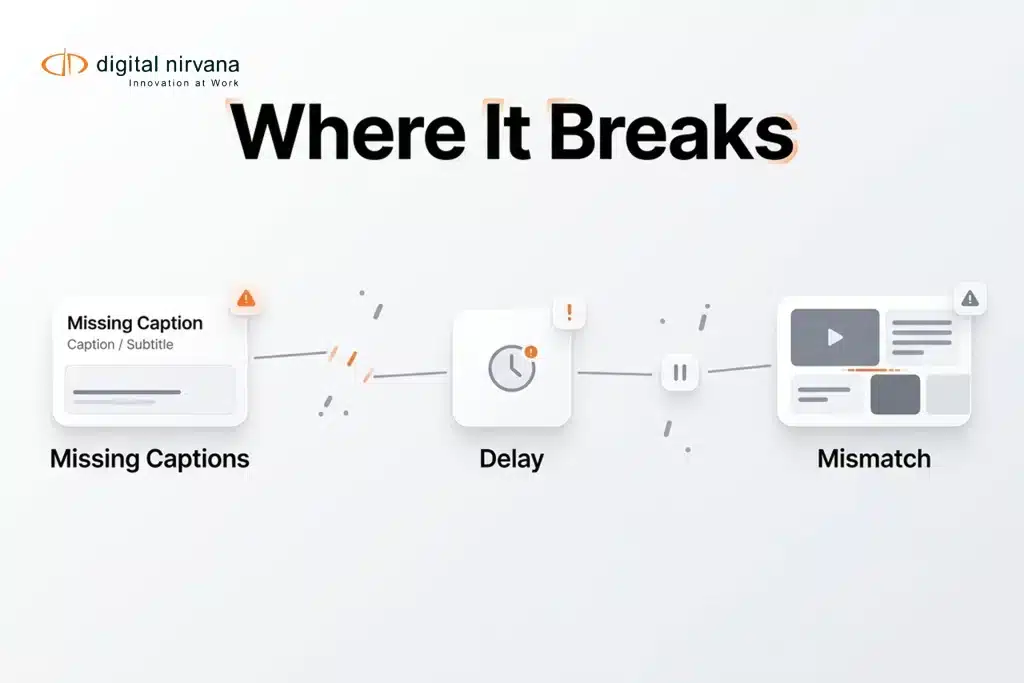
The most common workflow failure is treating these as separate, disconnected orders instead of a single pipeline. A few patterns show up repeatedly:
- Ordering captions and subtitles from different vendors using different source transcripts, which creates inconsistent wording between the two
- Skipping the transcription step and jumping straight to captions, which makes later translation and repurposing harder
- Applying caption formatting rules (speaker labels, sound effects) to subtitle files where they are not needed and can clutter the screen
- Missing platform-specific conformance rules, since Netflix, Amazon, and Hulu each have distinct caption formatting requirements
How a Connected Workflow Should Actually Work
The fix is sequencing, not more vendors. Start with a clean, accurate transcript as the single source of truth. From there, caption formatting rules get applied for accessibility delivery, and subtitle formatting and translation get applied separately for international or same-language comprehension needs.
TranceIQ is built around exactly this sequence: transcription, captioning, and subtitle generation from one workflow, with human review layered in for conformance and accuracy rather than three disconnected vendor handoffs.
A Day in the Life: One Source, Three Deliverables
Consider a post-production team prepping a documentary for OTT release. They start with automated transcription of the full run time, reviewed for accuracy against difficult audio (overlapping speakers, background noise). That transcript becomes the base for captions formatted to the destination platform’s spec, including speaker labels and sound cues.
The same transcript, without the non-speech formatting, becomes the source for subtitles in four additional languages. Because everything traces back to one verified transcript, the wording stays consistent across every output, and the QC team catches discrepancies before delivery instead of after rejection.
Measurable Impact of Getting the Workflow Right
Teams that consolidate transcription, captioning, and subtitling into one connected pipeline typically see fewer conformance rejections and faster turnaround, since rework from mismatched vendor files drops sharply. Consistency also improves: when captions and subtitles trace back to the same reviewed transcript, translation teams are not reinterpreting audio independently, which reduces wording drift across languages.
Implementation Considerations
- Source quality first: A weak transcript propagates errors into every downstream caption and subtitle file.
- Platform specs documented upfront: Netflix, Amazon, Hulu, and broadcast standards each have different formatting rules; know them before production starts, not after rejection.
- Human review checkpoints: Automated speech recognition handles volume well, but accents, jargon, and overlapping dialogue still benefit from human QA.
- Centralized asset management: Keep transcript, caption, and subtitle files linked to the same source asset so updates propagate correctly.
Key Capabilities to Prioritize
| Capability | Why It Matters |
|---|---|
| Single-source transcript workflow | Prevents wording drift across captions and subtitles |
| Platform-specific conformance templates | Reduces rejection and rework across OTT platforms |
| Human review layer | Catches accuracy issues automated ASR alone misses |
| Multilingual subtitle support | Supports global distribution from one source file |
| API/workflow integration | Fits into existing post-production and MAM systems |
Common Objections, Answered
“We already have a captioning vendor, why change the process?” The issue usually is not the vendor, it is the disconnect between transcription, captioning, and subtitling being ordered separately. Consolidating the source transcript often improves quality without switching vendors entirely.
“Automated transcription isn’t accurate enough for broadcast.” Fully automated output alone often isn’t. Pairing automated speech recognition with human review, which is how Media Enrichment services operate, closes that gap without reverting to fully manual transcription.
“Our budget doesn’t support a new workflow.” Rework from rejected caption files often costs more in turnaround time than the process change would. Start with one high-volume content type to prove the model before rolling it out further.
Measuring Success After the Switch
Track caption and subtitle rejection rates by platform, average turnaround from source video to final delivery, and consistency scores between caption and subtitle wording (are they saying the same thing, just formatted differently). A drop in platform rejections is usually the clearest early signal.
How Digital Nirvana Supports This Workflow
This is the exact gap TranceIQ was designed to close: transcription, captioning, and subtitle generation running from one workflow instead of three disconnected vendor relationships. Caption conformance checks are built in, which matters when delivering to platforms with strict formatting specifications.
For teams that need additional capacity during high-volume periods, whether that is a documentary slate or a live event with rapid-turnaround multilingual delivery, Media Enrichment adds managed, human-assisted captioning, subtitling, and translation on top of the same source workflow. And because MetadataIQ indexes transcripts for search, teams get a searchable archive as a byproduct of getting the captioning workflow right, not a separate project.
Why This Matters Across Media Operations
The pattern here mirrors a broader shift in Digital Nirvana’s approach to media operations: reduce redundant manual work by connecting workflows that are currently treated as separate tasks. Whether it is transcription feeding captions and subtitles, or metadata feeding archive search, the underlying principle is the same. One accurate source, reused correctly, beats three disconnected efforts every time. Broadcasters and OTT platforms featured in Digital Nirvana’s success stories have applied this same consolidation to cut delivery timelines significantly.
Frequently Asked Questions
Do I need separate vendors for captions and subtitles? No. Using one connected workflow from a shared transcript typically improves consistency and reduces cost compared to separate vendor orders.
Are captions and subtitles interchangeable for accessibility compliance? No. Regulatory accessibility requirements specifically reference captions, which include non-speech information subtitles typically omit.
How much human review does automated transcription need for broadcast use? It depends on audio complexity, but most broadcast-grade workflows pair automated speech recognition with human review for accents, jargon, and overlapping dialogue.
Conclusion
Transcription, captioning, and subtitling solve different problems for different audiences, but they do not need to be three disconnected processes. Broadcast and OTT teams that build one workflow around a single accurate source transcript see fewer conformance rejections, faster delivery, and more consistent output across languages and platforms. Getting the terminology right is the first step. Getting the workflow connected is what actually protects delivery timelines.
Key Takeaways
- Transcription, captioning, and subtitling are distinct outputs, not interchangeable terms
- Most workflow failures come from ordering these separately instead of from one connected source
- A single accurate transcript should feed both caption and subtitle production
- Platform-specific conformance rules must be documented before production starts
- Human review paired with automation closes accuracy gaps that fully automated or fully manual approaches miss on their own