One facility can use Avid for editorial, Premiere for a separate production team, and Resolve for finishing. An AI assembly that works in one room may need a different handoff in another. AI video editing software fits this environment through tested interchange contracts: agreed formats, source references, supported elements, and documented exceptions for each destination.
The contract should describe what the receiving editor can actually use. “Exports AAF” or “supports XML” is incomplete until the sequence has been opened, relinked, compared, and revised in the target application.
Key Takeaways
- Define a separate supported handoff for each receiving application and software configuration.
- Preserve original asset identity and source ranges independently of local file paths.
- Test timeline structure and media interpretation rather than checking only whether a file opens.
- Keep interchange limitations visible, especially for effects, audio, and complex edits.
- Deliver a reference render and exception list with every approved handoff package.
Table Of Contents
- Where Does AI Video Editing Software Enter The Pipeline?
- Which Routes Should Avid, Premiere, And Resolve Teams Test?
- What Belongs In An Interchange Contract?
- How Do You Build A Diagnostic Sequence?
- What Causes Relinking And Conform Problems?
- Who Owns An Accepted Handoff?
- FAQs
- Conclusion
Where Does AI Video Editing Software Enter The Pipeline?
Place an upstream AI assembly step before the receiving editor’s established creative and technical work. Define its input and output without assuming that all information travels automatically between applications.
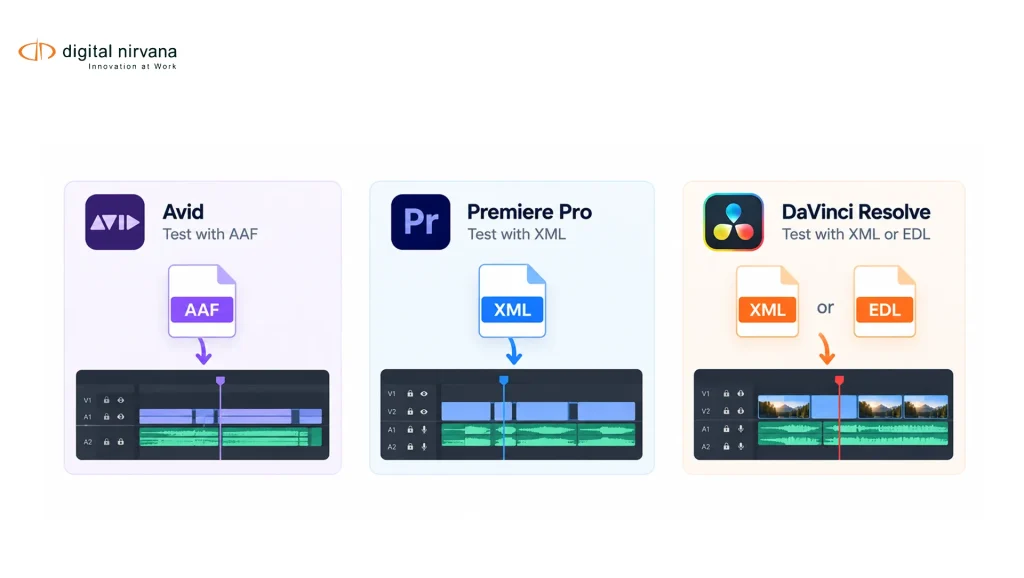
Digital Nirvana’s RoughCut launch documentation identifies AAF for Avid Media Composer, XML for Premiere, and XML or EDL for Resolve. These advertised routes provide a starting point for testing; they are not a guarantee that every sequence feature behaves identically in every installed version.
Ask whether the workflow is a one-way delivery or a round trip. A one-way transfer may be sufficient for an approved assembly. A round trip requires a separate agreement about where later changes are made and which system becomes authoritative.
Avoid letting both systems independently revise the same approved sequence without a reconciliation process. That creates an editorial version problem even when both exports are technically valid.
Which Routes Should Avid, Premiere, And Resolve Teams Test?
Test the route your supplier documents for the exact receiving application. Keep format choice separate from claims about how much detail survives.
| Destination | Advertised RoughCut Route To Confirm | Facility Acceptance Focus |
| Avid Media Composer | AAF | Source identity, media resolution, audio mapping, sequence structure |
| Adobe Premiere Pro | XML | Exact XML profile, linked sources, notes, complex elements |
| DaVinci Resolve | XML or EDL | Conform accuracy, source interpretation, track and range preservation |
These are procurement checks, not an independent compatibility certification. Record the sender and receiver versions used in the test.
Adobe’s Final Cut Pro XML export guidance describes translation limitations, including effects and audio adjustments. The wider lesson is to validate the elements your assignment uses instead of expecting application-specific behavior to survive interchange unchanged.
Resolve’s editing documentation describes subtitle workflows separately. Include captions or subtitles as explicit deliverables when required, rather than assuming a timeline exchange automatically covers them.
What Belongs In An Interchange Contract?
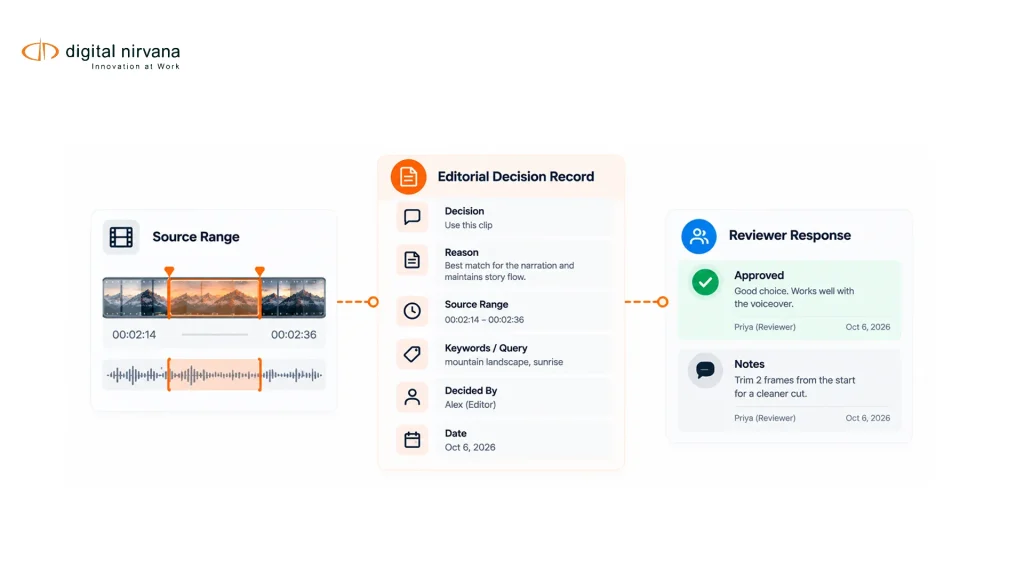
Write down the information needed to reconstruct and judge the intended sequence. The contract should identify source assets, media locations, sequence settings, track expectations, supported elements, and the handling of exceptions.
Specify how the recipient distinguishes an original from a proxy or rendered derivative. Include the mapping between them and the party responsible for supplying missing media. Stable identifiers are especially useful when file paths differ between rooms or organizations.
Define which notes remain attached to clips, which travel as sidecars, and which are retained in the originating system. The OpenTimelineIO feature matrix shows why support for metadata and editorial elements must be checked at the adapter level.
If the source library sits within established infrastructure, MetadataIQ’s integration role may be relevant to source information. Do not assume that a separate metadata integration automatically proves a timeline integration.
How Do You Build A Diagnostic Sequence?
Build a short sequence that deliberately includes your facility’s challenging cases. It should be small enough to inspect closely and representative enough to expose differences that matter in production.
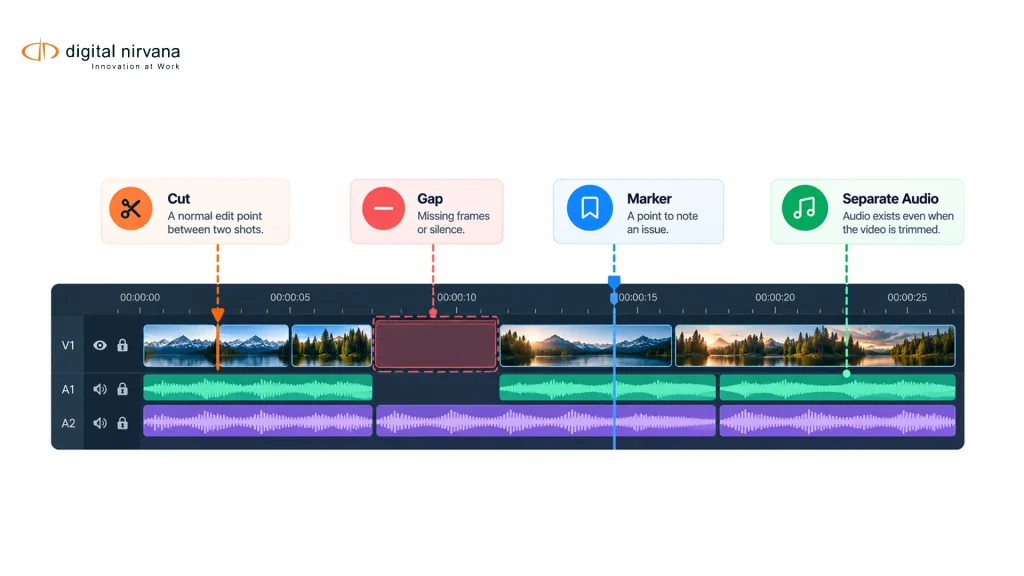
Include a simple cut, an intentional gap, separate audio, a marker, and the complex features your team actually uses. Add a mixed-rate source or retime only if those are part of the supported workflow you need to test.
Create a reference render with visible source information where appropriate for internal review. Compare the first and last used frames of each test segment, listen to audio joins, and verify the intended channel layout.
Record each result as preserved, translated with a documented change, or requiring reconstruction. Do not disguise a manual rebuild as native support. Retain the sequence and acceptance notes for repeat testing after software updates or changes to the export configuration.
What Causes Relinking And Conform Problems?
Relinking problems occur when a sequence reference cannot resolve to the intended accessible media. Conform problems occur when the resolved material does not reproduce the intended sequence correctly. Investigate those separately.
Begin with asset identity, filenames, paths, permissions, and whether the package expects original or proxy files. Then inspect source-range interpretation and sequence settings. A wrong asset can look plausible if several cameras generated similar filenames.
Your timecode indexing conventions should be part of this check. Do not fix a mismatch by casually shifting clips until the preview looks right; preserve enough evidence to identify the cause.
Also inspect color and audio interpretation independently of editorial timing. A correctly placed source can still look or sound different because of application settings. Document those settings and compare against the approved reference before accepting the handoff.
Who Owns An Accepted Handoff?
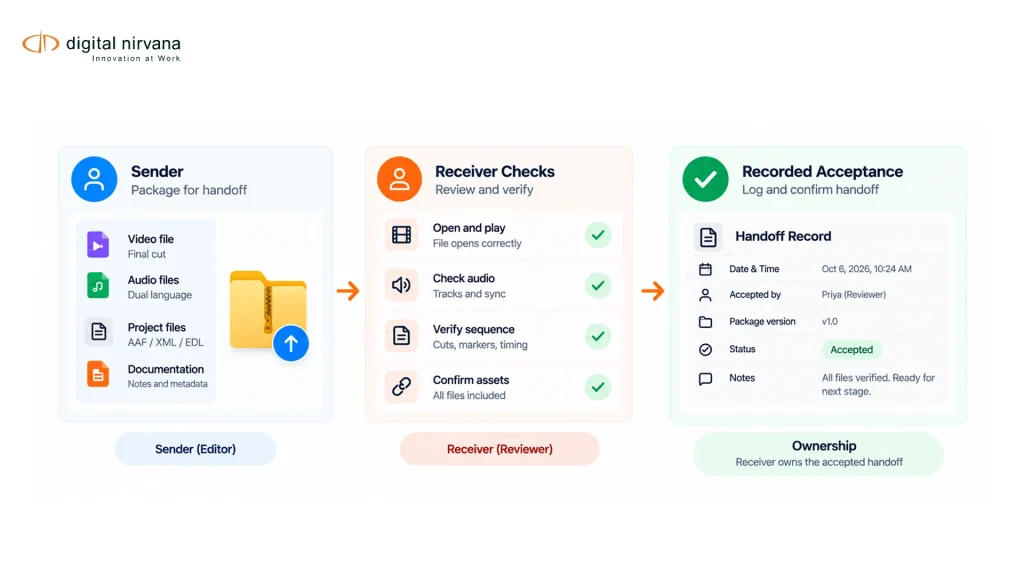
The sender owns package completeness, while the receiver confirms that it is usable in the agreed environment. Name both parties before a production deadline depends on the exchange.
The sender should provide the sequence, reference render, source manifest, required sidecars, and known exceptions. The receiver should check representative and high-risk elements, record failures, and explicitly accept or return the package.
Define a freeze point. Once finishing starts, new upstream changes need a documented change list and a new version. Replacing an exchange file silently can detach notes and create uncertainty about which cut was approved.
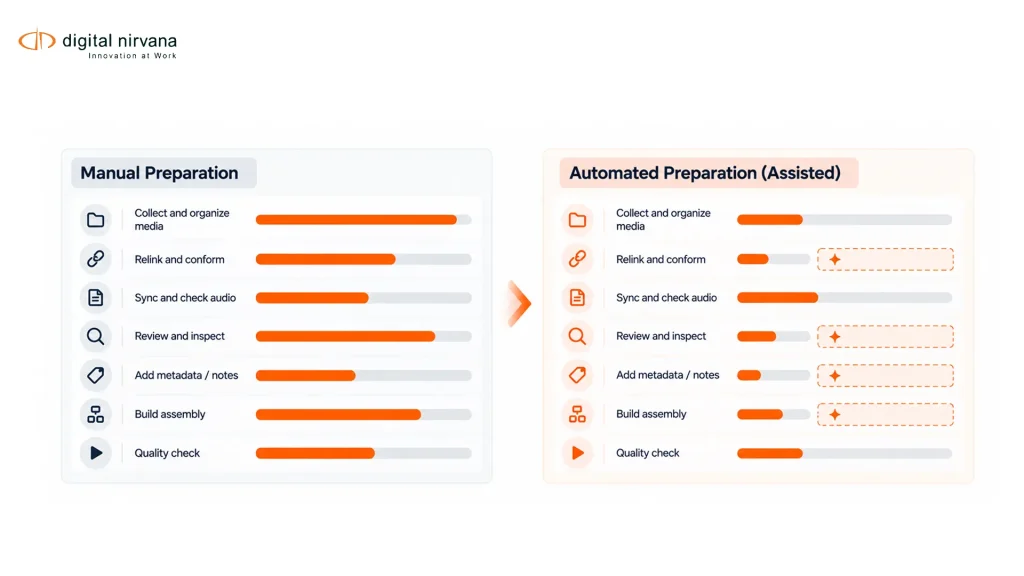
Measure the handoff by time to accepted use, not time to upload. A fast transfer is valuable only if the editor can continue the assignment without reconstructing the intended story or searching for unavailable media.
FAQs
Some products offer exchange formats intended for established editing applications. Confirm the exact product route and test its output in your installed environment.
AAF support alone does not prove that every required sequence element will transfer as expected. Validate the source references, audio, structure, and relevant features using your diagnostic sequence.
Only use the same file if both tested workflows support its exact format and content. A common extension does not establish equivalent interpretation.
Treat EDL as a route whose suitability depends on the sequence and receiving workflow. Test its representation of the elements you need rather than assuming it carries the full project.
A reference render lets the receiver compare the imported sequence against the intended result. It supports inspection but does not replace editable source-linked media.
Retest after material changes to the sending application, receiving application, export profile, or media workflow. Keep the previous diagnostic sequence so changes are visible.
Conclusion
Choose a destination, define its interchange contract, and prove it with a diagnostic sequence. Repeat for each additional editing environment. Bring the resulting exception list to a Digital Nirvana integration discussion before relying on the handoff for deadline work.