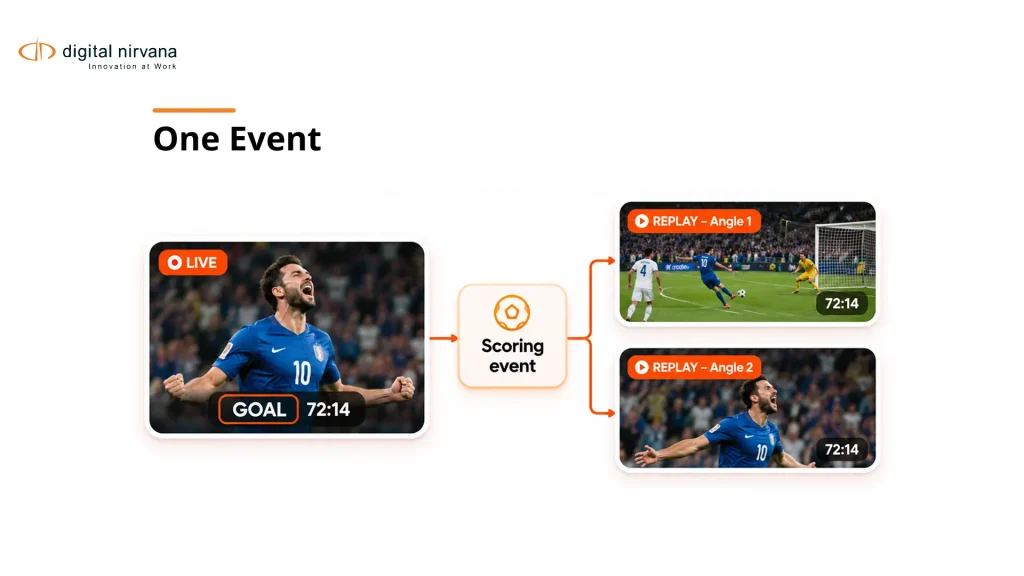
A goal appears in the live feed, twice in replay, and again in a halftime package. A tagging system returns four moments. Your highlight producer needs one verified event, the right source angles, and permission to publish them. Sports video tagging software should connect detected or logged moments to an identifiable event and an editorially usable source range.
For broadcasters, that requirement differs from coaching analysis or general archive tagging. Choose tools around the job: live highlight production, performance review, searchable media enrichment, or a combination with clearly defined handoffs.
Key Takeaways
- Separate broadcast highlight production from coaching and performance analysis when building a shortlist.
- Give every event a stable identity distinct from its multiple on-screen appearances.
- Map game clock, source time, and replay occurrences explicitly instead of treating them as interchangeable.
- Evaluate reviewed highlight packages, including missed plays and correction work, rather than detection speed alone.
- Keep rights, embargoes, source selection, and final publication approval under accountable control.
Table of Contents
- What Should Sports Video Tagging Software Do for Broadcasters?
- Which Types of Tools Should You Compare?
- How Do You Build an Event Record That Survives Replays?
- Why Do Game Clock and Source Time Need Separate Fields?
- What Should Human Review Check Before a Highlight Is Used?
- How Do You Evaluate Detection and Highlight Quality?
- What Must the MAM and Editing Handoff Preserve?
- How Should You Run a Broadcast-Focused Pilot?
- FAQs
- Conclusion
What Should Sports Video Tagging Software Do for Broadcasters?
Sports video tagging software should help your team identify, verify, retrieve, and use relevant moments in sports footage. Define the expected output before deciding which analysis or automation capabilities are necessary.
A live highlight producer may need a candidate event while recording continues. An archive producer may need past interviews associated with an athlete. A performance analyst may need repeatable tactical codes. These uses can share media while requiring different interfaces and records.
Digital Nirvana’s sports metadata explainer covers the broader role of metadata in sports media. This evaluation focuses on the purchasing decision and the event-to-highlight handoff.
Write a task statement such as “find and verify a scoring event, select the correct angle, and hand it to the editor.” That statement provides a more useful demonstration brief than a general request to show every AI feature.
Which Types of Tools Should You Compare?
Compare tools according to the workflow they are designed to support. A platform for tactical review is not interchangeable with a broadcast publishing workflow or an enrichment layer around an existing archive.
| Option | Publicly Described Role | Broadcast Question to Verify |
| Digital Nirvana MetadataIQ | Searchable enrichment around existing media systems | Can the required sports labels and ranges reach your MAM? |
| WSC Sports platform | Sports content analysis, creation, management, and distribution | Does the proposed workflow cover your sport and publishing conditions? |
| Hudl Sportscode | Customizable performance video analysis and coding | Can its outputs support your particular editorial handoff? |
| Existing MAM with manual logging | Managed media with operator-defined event records | Can staffing and tools meet the actual workload? |
WSC Sports’ AWS Marketplace description and the Hudl Sportscode product page support these role descriptions. They do not establish feature parity or measured performance on your material.
Ask every supplier to demonstrate the same task. Mark unsupported or untested conditions as unresolved rather than inventing a weakness or assuming a feature is available.
How Do You Build an Event Record That Survives Replays?
Create a stable event record and attach each video occurrence to it. The event and its appearances are related entities, not identical records.
A proposed record includes competition, fixture, team or athlete identifiers, event type, period, game clock, source asset, source range, occurrence type, and review status. An occurrence type can distinguish the original action, replay, reaction, interview reference, and recap.
The IPTC SportsML model provides a standards-based example of structured sports data, including relationships among events, teams, players, and statistics. Decide which identifiers your workflow will treat as authoritative and how provider values are mapped.
For an illustrative scoring event, three replay angles may belong to one event. Deduplicating solely by label text can incorrectly merge separate goals; treating every replay as a new event inflates counts. Preserve the relationship so the producer can choose appearances without corrupting the event record.
Why Do Game Clock and Source Time Need Separate Fields?
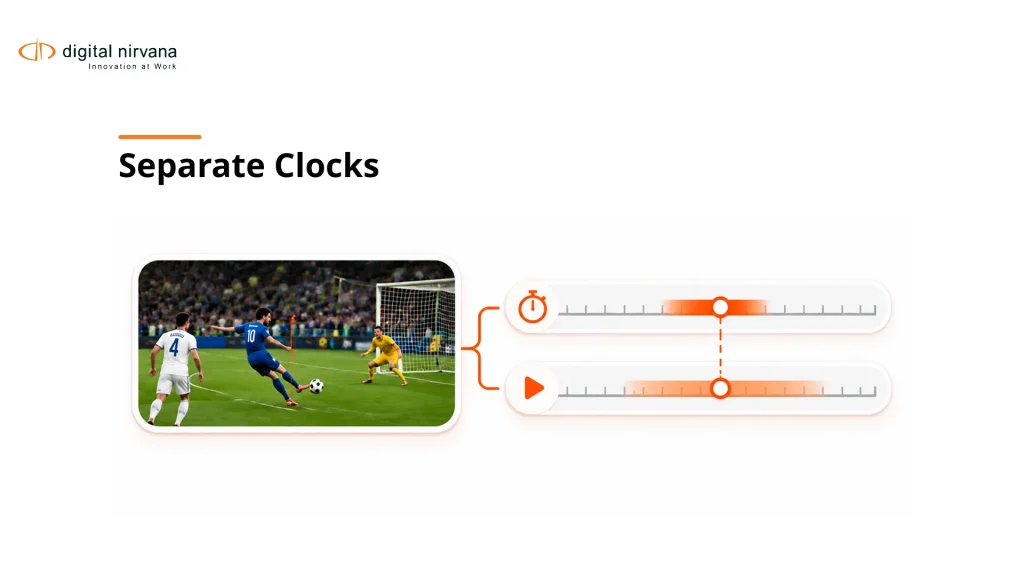
Game clock identifies a position in the sporting event, while source time identifies a location in a particular recording. Pauses, replays, delays, and edited packages mean the two cannot be substituted without a mapping.
A score graphic may be absent, obscured, delayed, or shown during a replay. Optical character recognition can provide a candidate clock value, but the workflow must determine what that value refers to. Do not automatically attach it to every nearby detection.
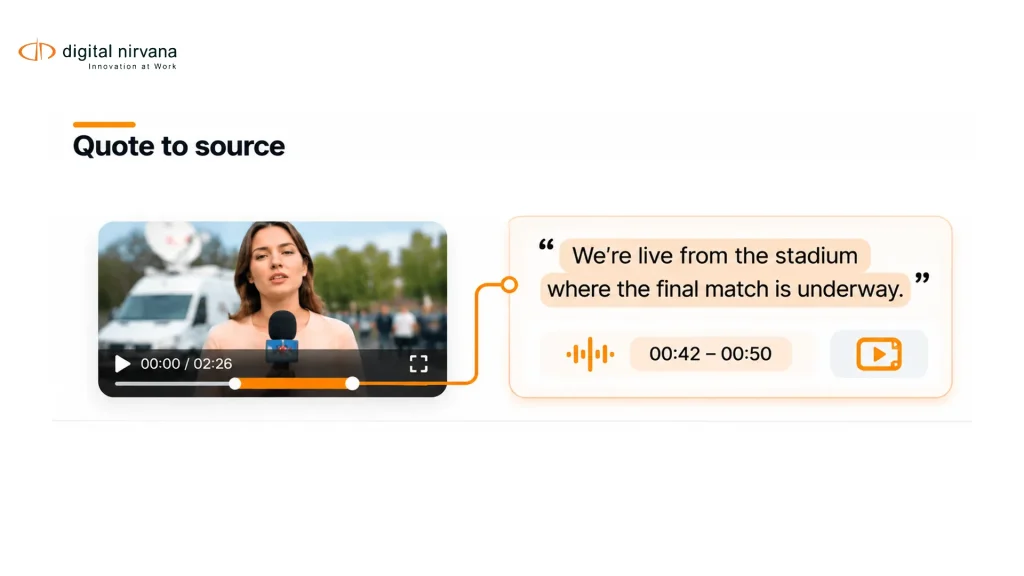
Record the source and mapping method, including unresolved timing uncertainty. Multiple feeds may show the same action at different media offsets. Identify which feed and rendition a candidate range belongs to before sending it to an editor.
Test a replay, an interrupted feed, and a recording with an altered start. If the system’s labels remain plausible while its source ranges shift, the workflow needs stronger timing validation before anyone depends on it for fast publication.
What Should Human Review Check Before a Highlight Is Used?
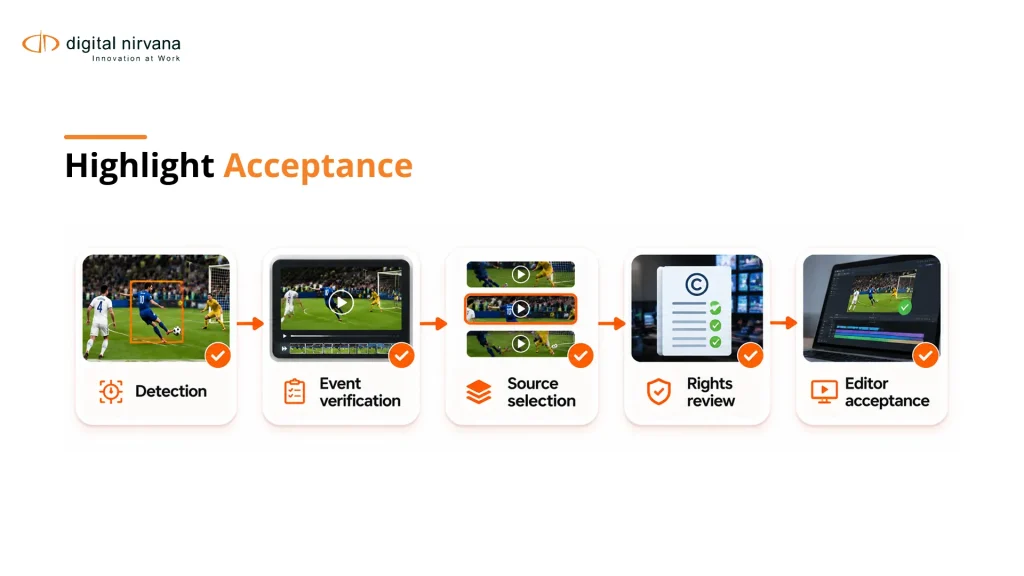
Human review should confirm the event, source, context, and permitted use before a candidate becomes an approved highlight. Recognition can propose material, but the publishing decision includes information beyond the image.
Give the reviewer the candidate range and surrounding play. Check whether the action was overturned, whether a replay is being mistaken for live action, whether the named athlete is correct, and whether the selected sequence tells the event accurately.
Rights and commercial conditions may vary by competition, platform, territory, and publication window. Have the responsible team define those controls. Do not assume a visible game or successful detection establishes a right to distribute it.
Record approval against the actual selected source range and package version. A later edit can change context or include a restricted angle. Keep the ability to reject, correct, and trace the decision even when software generated the initial candidate automatically.
How Do You Evaluate Detection and Highlight Quality?
Evaluate both whether the system finds the relevant events and whether the resulting candidates are usable for editorial work. Fast detection of the wrong play does not improve highlight production.
Create a reviewed reference set for the sport and production conditions under consideration. Include scoring and non-scoring moments, disallowed actions, replays, interviews, quiet visual events, and events that should not be tagged.
Measure missed important events, false candidates, duplicate occurrences, boundary quality, identity errors, and reviewer correction effort. Separate elapsed availability from human work time. Ask whether candidates become available soon enough for the intended workflow, without assigning a universal latency target.
Also evaluate complete packages. A technically correct event clip may omit the setup, decisive angle, official ruling, or reaction needed for the story. Let editors define usefulness and record rejection reasons. Those reasons are more actionable than a single blended “AI accuracy” number.
What Must the MAM and Editing Handoff Preserve?
The handoff must preserve event identity, source references, selected ranges, and the decisions attached to the material. Confirm that the receiving editor can open and revise the result in the intended environment.
Digital Nirvana offers metadata intelligence for established media systems, including sports-related analysis use cases. Verify the exact sport, labels, processing conditions, and integration behavior proposed for your workflow rather than assuming universal automated play recognition.
Keep the package’s source angles, audio choices, and restrictions understandable after transfer. Test whether a corrected athlete identity and a rejected replay remain corrected and rejected downstream.
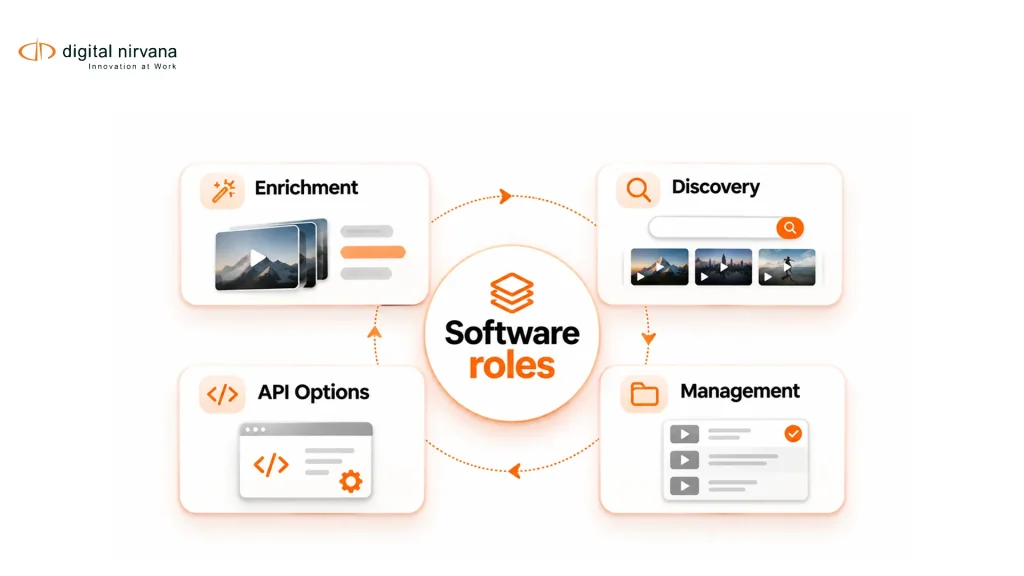
For teams needing custom analysis, Digital Nirvana’s modular media intelligence capabilities provide a separate product context. Packaged enrichment and a custom service integration leave different responsibilities with engineering and operations; document those responsibilities during evaluation.
How Should You Run a Broadcast-Focused Pilot?
Run the pilot around one defined production use, with enough variation to expose the conditions your team actually encounters. A single polished scoring clip cannot establish readiness for a season’s workload.
Agree on the sport, feed types, event definitions, source availability, reviewing staff, receiving tools, and publishing requirements. Keep a separate acceptance sample and make the same tasks available to each shortlisted option.
Include recovery scenarios: an unavailable feed, an incorrect event label, a timing mismatch, and a correction after initial approval. Record how the workflow recovers and who must intervene. Model changes and unusual fixtures should have an explicit retest path.
After documenting the gaps and acceptance conditions, discuss the sports media workflow with Digital Nirvana. Ask for a demonstration from source ingest to reviewed editorial handoff, using the situations that matter to your production team.
FAQs
Sports video tagging software attaches event, player, team, or descriptive information to footage. The tagging may be manual, automated, or assisted, and the resulting workflow may serve coaching, broadcasting, or archive retrieval.
The best fit depends on the sport, feed, event definitions, editorial tools, and publishing requirements. Compare representative tasks and complete handoffs rather than assuming one platform is best for every sports operation.
Coaching tools may support parts of a broadcast workflow, but their fit must be tested. Performance coding and tactical review do not automatically prove support for live production, media handoff, or rights-controlled publication.
Some systems may provide capabilities supporting that distinction, but you must verify them for the proposed workflow. Test repeated angles, delayed graphics, and recap packages rather than inferring replay handling from a successful live-play example.
A transcript cannot reliably identify every play because commentary may lag, refer to another event, or omit important visual action. Combine relevant evidence and human review according to the event definitions being used.
Useful metrics include missed events, false candidates, duplicates, usable source ranges, correction effort, and time to accepted editorial handoff. Prioritize them according to the production decision rather than reporting model speed alone.
Conclusion
Choose the production job first, define the event record, and test how candidate moments become accepted source ranges. Require replay handling, timing validation, and editorial control before scaling the workflow. Buy the tool that supports that verified process under your actual operating conditions.