Introduction
If your teams are constantly saying, “I know we shot that somewhere” while scrubbing through timelines, you do not have a storage problem. You have a metadata issue in your production workflow.
Modern PAM and MAM platforms are more capable than ever. They can orchestrate cloud and on-prem workflows, manage terabytes of media, and connect editorial, promo, social, OTT, and archive teams. But unless the metadata behind those workflows is designed and maintained correctly, editors still cannot find the right shot, producers still re-commission material you already own, and archives quietly lose value over time.
This is where production workflow metadata comes in. When you treat metadata as part of the production process not as an afterthought you turn your PAM/MAM into a real-time discovery engine instead of a sophisticated parking lot., and when you layer automation, and AI on top of that foundation with a tool like Digital Nirvana’s MetadataIQ, you move from “some clips are findable” to “every frame is searchable.”
What is production workflow metadata, really?
Production workflow metadata is the structured information that describes your media as it moves from camera to cut to delivery and archive. It is the connective tissue between:
- Production asset management (PAM): dailies, work-in-progress, timelines, and projects
- Media asset management (MAM): finished masters, versions, localization assets, and long-term archives
In that context, production workflow metadata includes:
- Descriptive metadata: who, what, where, when (talent, teams, locations, events, storylines)
- Technical metadata: codec, frame rate, resolution, color space, audio layout
- Structural metadata: relationships between projects, sequences, shots, episodes, and versions
- Rights, and compliance metadata: restrictions, territories, license windows, br, and, and sponsor rules
- Time-based metadata: markers, segments, comments, and events mapped to specific timecodes
When this metadata is consistent from ingest through delivery, your PAM/MAM becomes a single, searchable fabric rather than two disconnected silos.
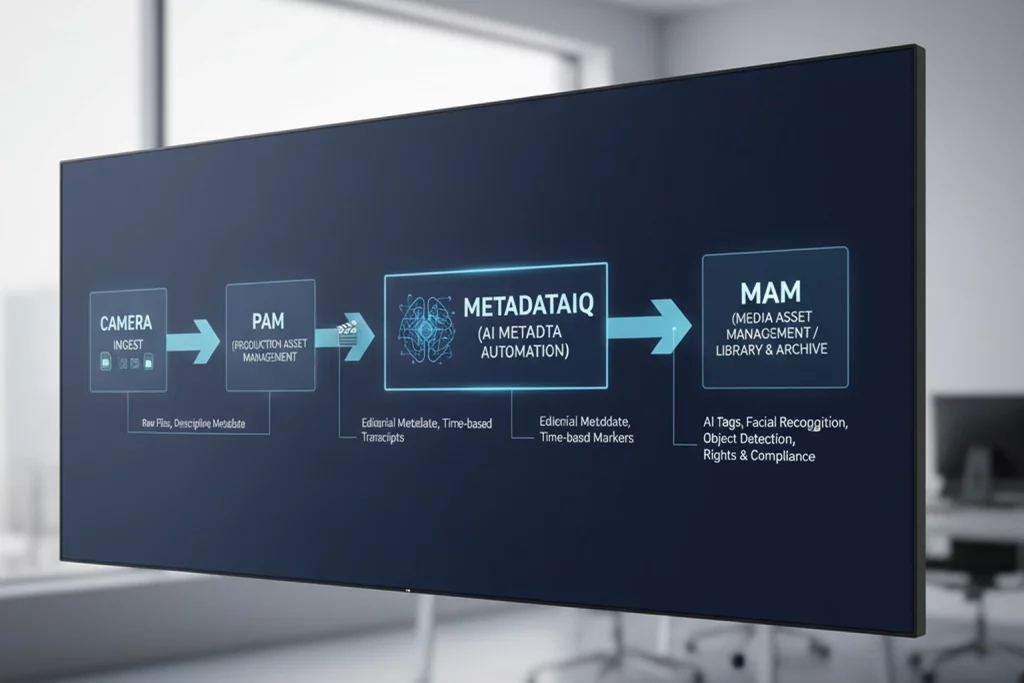
PAM/MAM metadata: how production and library worlds meet
Historically, PAM focused on live and near-line production (edit rooms, dailies, fast-turn content), while MAM focused on long-term storage, distribution, and archive. Those lines are now blurred: many “production-connected MAMs” embed PAM features directly, and modern stacks rely on deep integration between the two.
In metadata terms:
- PAM-centric metadata
- Shot-level comments and markers
- Assistant editor notes, string-outs, and pulls.
- Temporary scene names and story beats
- MAM-centric metadata
- Final titles, synopses, and episodic information
- Rights, clearances, and distribution statuses
- Long-term taxonomy (series, season, sport, league, franchise, brand, territory)
The challenge is to decide which metadata originates in PAM, which lives primarily in MAM, and how the systems exchange that information so that nothing helpful gets lost at h, and off. Vendors and integrators increasingly emphasize “metadata-driven workflows” for this reason: your automations are only as smart as the metadata you feed them.
Why clips go “missing” in well-funded systems
If you already have a capable MAM or production-connected MAM, why are clips still hard to find? Typical causes include:
- Over-reliance on file naming and folder structures instead of real metadata
- Manual logging that cannot keep up with the volume of feeds, dailies, and VOD assets
- Inconsistent use of fields between shows, production units, or regions
- Time-based metadata captured in PAM but never promoted or synchronized into MAM.
- Archives inherited from older systems with little or no shot-level metadata.
From a user’s perspective, all of this looks like one thing: “The system is slow, and nothing is where I expect it.” From a metadata perspective, it is a design and scale issue, not a storage one.
Core building blocks of production workflow metadata
Before you think about AI, it helps to lock in the basics:
- A lightweight, extensible schema
- Start with a small, stable set of required fields (title, series/show, event, leading talent, date, rights, channel/platform).
- Add optional fields for specific genres (sports, news, reality, branded content) as needed.
- A shared vocabulary (taxonomy)
- Normalize team names, league names, program names, campaign names, and locations.
- Define controlled lists for genres, content types, and production units.
- Clear ownership and lifecycle
- Decide who owns which metadata at which stage (ingest, rough cut, final master, archive).
- Automate promotion of key fields from PAM into MAM at publish or conform.
- Designed search use cases
- Work backwards from real queries: “all press conferences with this spokesperson,” “every clip of this player scoring,” “B-roll of this skyline at night.”
When you design metadata around how people actually search, your PAM/MAM starts to feel like a creative assistant instead of a compliance system.
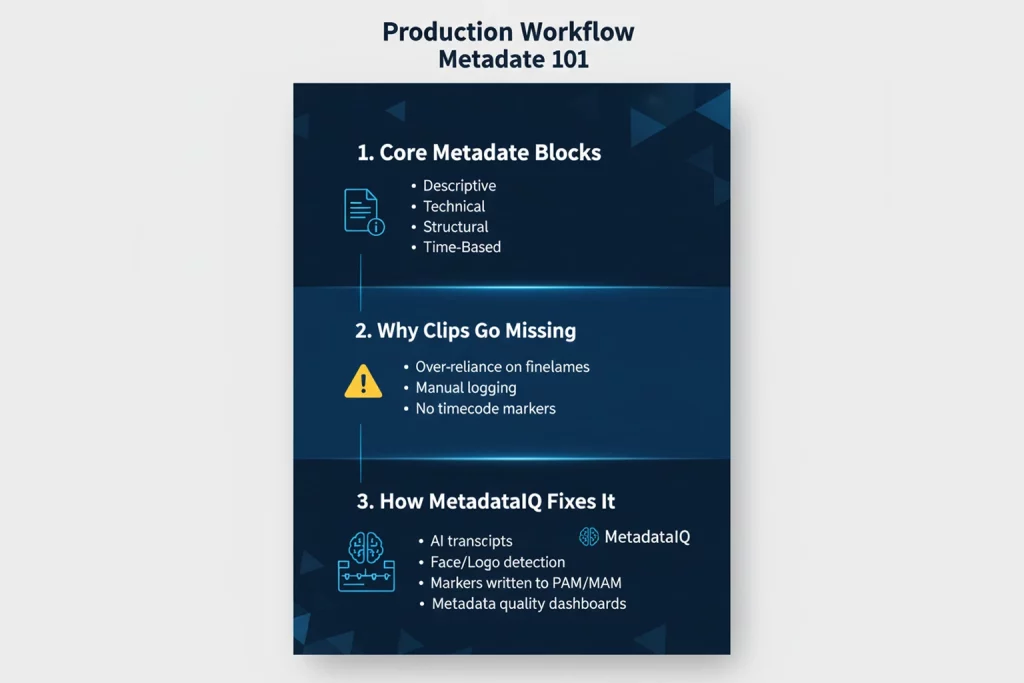
Time-based metadata: the difference between “we have it” and “here it is”
In production workflows, static metadata gets you to the correct file. Time-based metadata gets you to the right moment.
Timeline markers, segments, and comments mapped to timecode are essential in editorial tools and integrated PAM/MAM environments. When those markers carry descriptive text, entities, and events, editors can jump straight to a quote, goal, reaction shot, or product mention instead of scrubbing.
Typical time-based metadata includes:
- Speaker changes, and key quotes in the news
- Goals, fouls, replays, and celebrations in sports
- Beats, reveals, and callbacks in reality and entertainment.
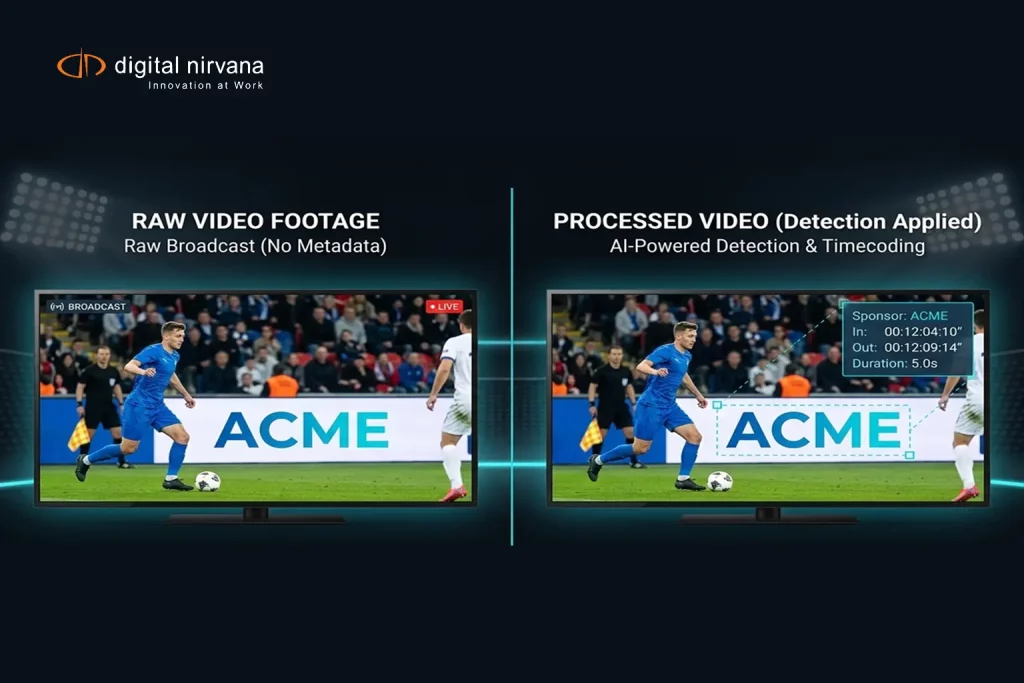
- Brand, sponsor, and signage appearances for commercial compliance
Modern MAMs and PAMs increasingly optimize search and UI around time-based metadata, recognizing that partial reuse (one clip from a one-hour show) is the norm.
Making every clip discoverable: practical strategies
To make “every clip discoverable” more than a slogan, production teams are adopting a few concrete practices:
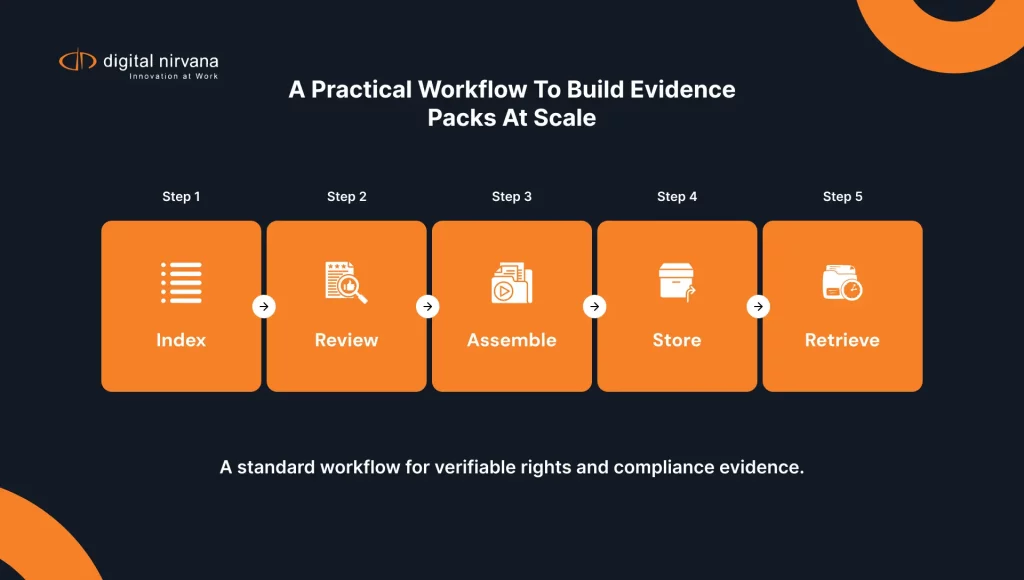
- Index everything at ingest
- Apply at least baseline descriptive metadata the moment footage lands, not weeks later.
- Use defaults based on channel, program, event, or production schedule.
- Push logging closer to the action
- Let loggers, producers, and assistants mark key beats while live or near-live.
- Sync those markers into PAM/MAM automatically, not via exported spreadsheets.
- Standardize markers
- Use common marker types and naming conventions so that “goal,” “VO,” “SOT”, and “lower third” mean the same thing across teams.
- Treat metadata quality as a KPI
- Track search success, reuse rates, and time-to-find metrics the same way you track turnaround time or on-air errors.
Once these basics are in place, you are ready to bring in automation safely.
Where AI and automation fit (and where they do not)
AI-driven metadata automation is most effective when it augments, not replaces, good metadata design.
Automation can:
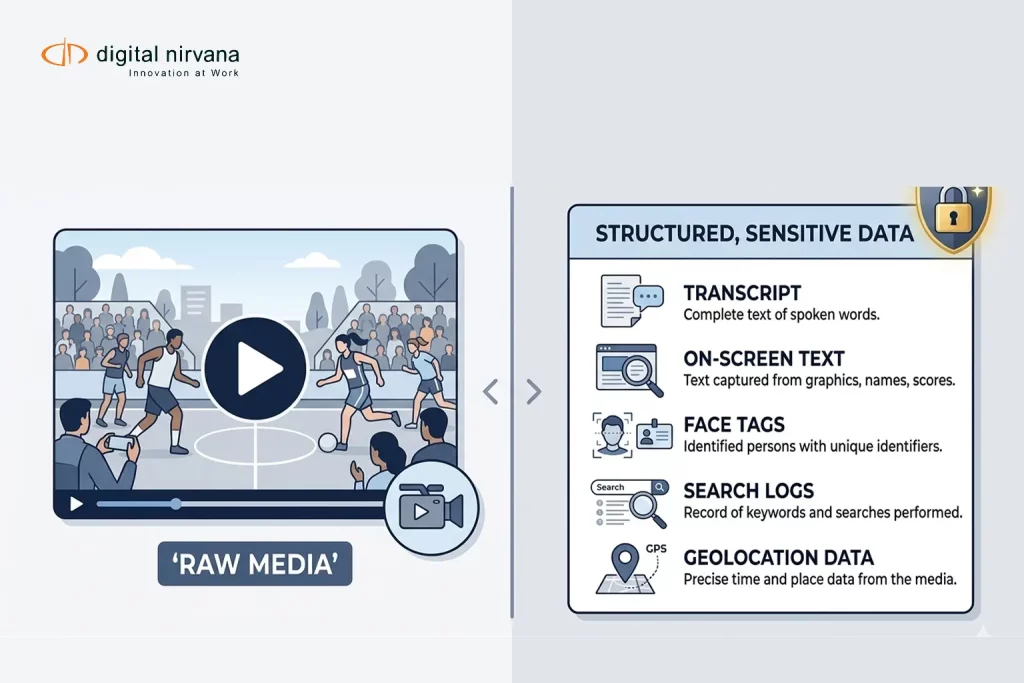
- Generate speech-to-text transcripts and suggest keywords, entities, and topics
- Detect faces, logos, and on-screen text for brand, sponsor, and cast tagging.
- Propose time-coded markers for key events in news, sports, and unscripted content.
Automation should not:
- Be the only source of rights, restrictions, or approvals
- Replace editorial judgment about what is truly important in a story.
- Run in isolation from your PAM/MAM, creating yet another metadata silo.
The highest-performing teams use AI to generate a rich “first pass” of metadata, then let humans refine, approve, and extend it where it matters most.
How MetadataIQ supercharges PAM/MAM metadata in real workflows
Digital Nirvana’s MetadataIQ is specifically designed to solve the metadata problem in production workflows across Avid and broader PAM/MAM ecosystems.
Instead of sitting off to the side, MetadataIQ connects directly to your ingest, PAM, and MAM environments, and:
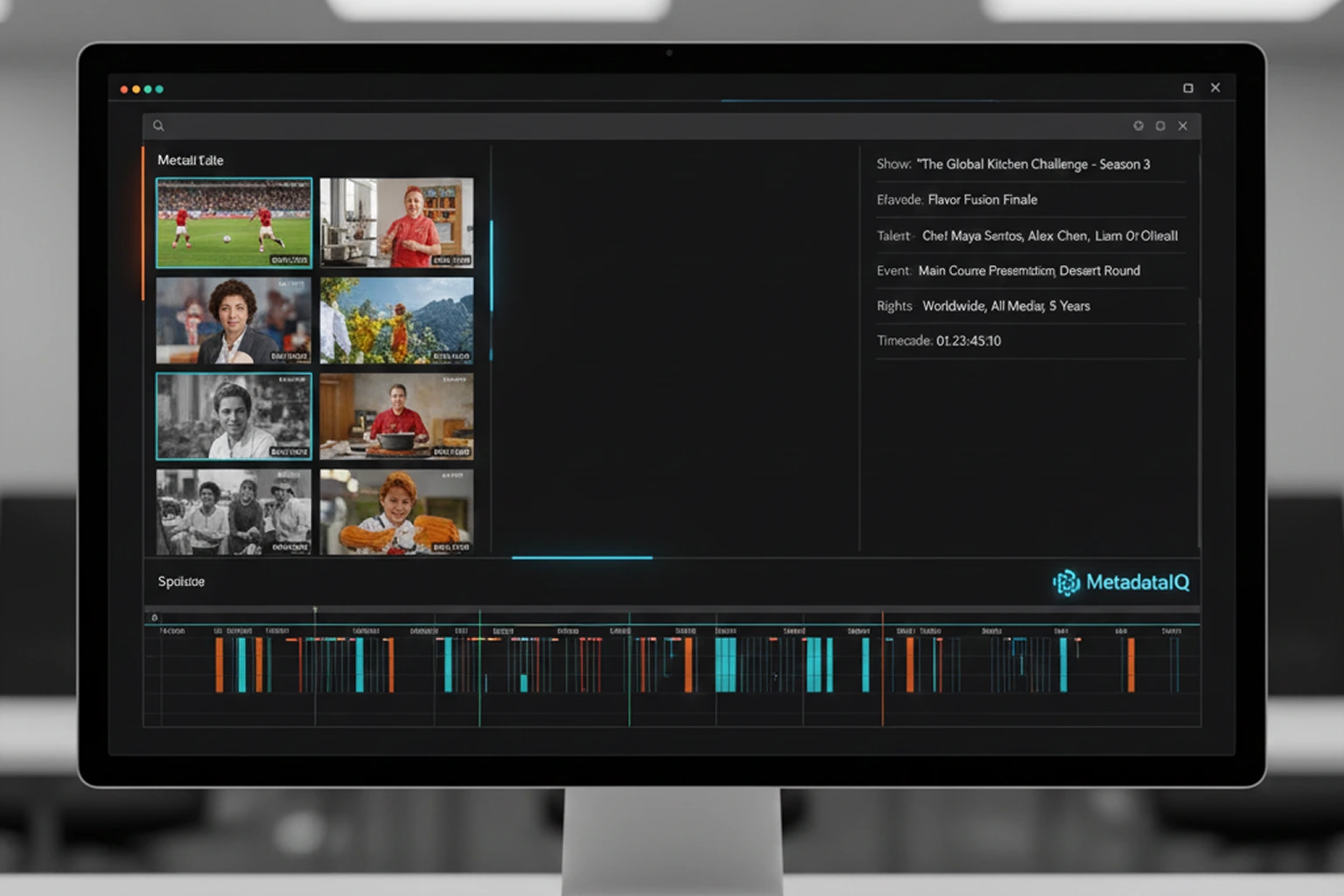
- Generates rich, time-coded metadata
- Real-time and file-based speech-to-text tuned for news, sports, and entertainment
- Parsing of transcripts into time-based markers aligned with your Avid projects
- AI-driven detection of faces, logos, and on-screen text for br, and, and cast tagging.
- Writes metadata back into your PAM/MAM
- MetadataIQ indexes markers directly into Avid timelines and other production tools, so searches happen where editors already work
- Enriched metadata flows into your MAM, turning finished assets and archives into fully searchable libraries.
- Scores and governs metadata quality
- Dashboards show where metadata is missing or inconsistent.
- You can define rules by show, genre, or client, and see at a glance which assets are “metadata ready” for reuse and monetization.
The result is a production environment where:
- Manual logging is dramatically reduced
- Every feed and file gets at least baseline, time-coded metadata
- Producers and editors can trust search results in PAM/MAM.
- Archives stop being dead weight and start feeding current production, promo, and syndication deals.
Implementation roadmap for production teams
A practical way to bring production workflow metadata and MetadataIQ into your PAM/MAM stack:
- Define target use cases
- For example: faster highlights, re-using archive footage in promos, or improving search inside Avid for a flagship show.
- Audit current metadata
- Sample a few projects end-to-end, and see what metadata actually survives from ingest through archive.
- Identify “dark” areas where assets exist but are effectively undiscoverable.
- Design or refine your schema
- Start with essential fields and time-based marker types needed to support your target use cases.
- Align PAM and MAM schemas so promotion and synchronization are straightforward.
- Run a MetadataIQ pilot
- Connect MetadataIQ to your Avid or equivalent PAM environment and to your MAM.
- Let it index a defined set of shows, feeds, or archive content, and measure search time, reuse, and manual logging effort before and after.
- Operationalize and scale
- Roll out to more channels, genres, and locations once workflows are proven.
- Use MetadataIQ dashboards and your MAM analytics to improve metadata coverage and quality continually.
Digital Nirvana typically supports this journey as a partner: helping define metadata strategies, integrating MetadataIQ into real workflows, and evolving the model as new content types and channels come online.
FAQs
It is the structured information that describes your media as it moves through the production process, who is in a clip, what happens, where it belongs, what rights apply, and what is happening at specific timecodes in the timeline. It is what makes storage usable inside PAM, and MAM systems.
Basic file tags or filenames tell you the project name and date. PAM/MAM metadata adds relationships (episode, segment, clip), rights, time-based markers, and production context, so you can find the exact moment you need and safely reuse it across platforms.
Most reuse is partial; you rarely want a whole hour; you want one quote or one replay. Time-based metadata lets PAM/MAM search tools jump straight to those moments, rather than forcing editors to scrub through entire files, saving time and improving accuracy.
MetadataIQ plugs into your existing PAM (for example, Avid), and MAM systems. It automatically generates and enriches time-coded metadata, writes markers back into your edit environment, and syncs enriched metadata into your MAM so both production and library teams benefit.
Yes. MetadataIQ can run in batch mode against stored content, generating transcripts and AI-driven tags for older material, and making deep archives newly searchable in your MAM. Many teams start by “lighting up” their back catalog, then move on to live and fast-turn workflows.
Conclusion
Production workflow metadata is no longer a “nice to have” feature buried in configuration screens. It is the operating system of modern content operations. When it is designed well and consistently applied across PAM and MAM, every clip becomes discoverable, every archive becomes a living resource, and every team, from news and sports to promos and streaming, moves faster.
Digital Nirvana’s MetadataIQ was built precisely for this reality. By automating the heavy lifting of metadata generation, indexing, and writing rich, time-coded intelligence directly into your existing PAM/MAM stack, it turns your infrastructure into what it was always meant to be: a creative, compliant, and monetizable media backbone where every frame can be found and reused.
If you are ready to move from “we think we have that somewhere” to “here is the exact clip you need,” MetadataIQ is the most direct way to get there.