Your archive search finds a convincing result, but the recording was replaced last week and the index still points to its old proxy. Video indexing software earns its place when it keeps searchable records connected to the right media, revisions, and access rules throughout the archive’s life.
For broadcasters, compare the complete indexing service: analysis, record storage, search, updates, and retrieval. A tool that generates labels may supply one part of that service. Your purchasing decision should identify who operates the remaining parts and how users know which content has actually been indexed.
Key Takeaways
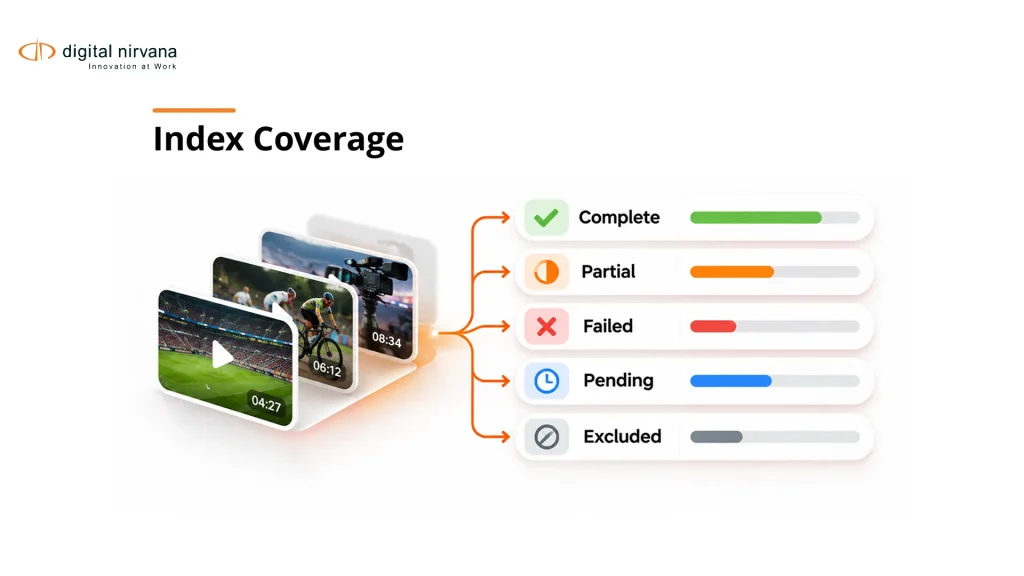
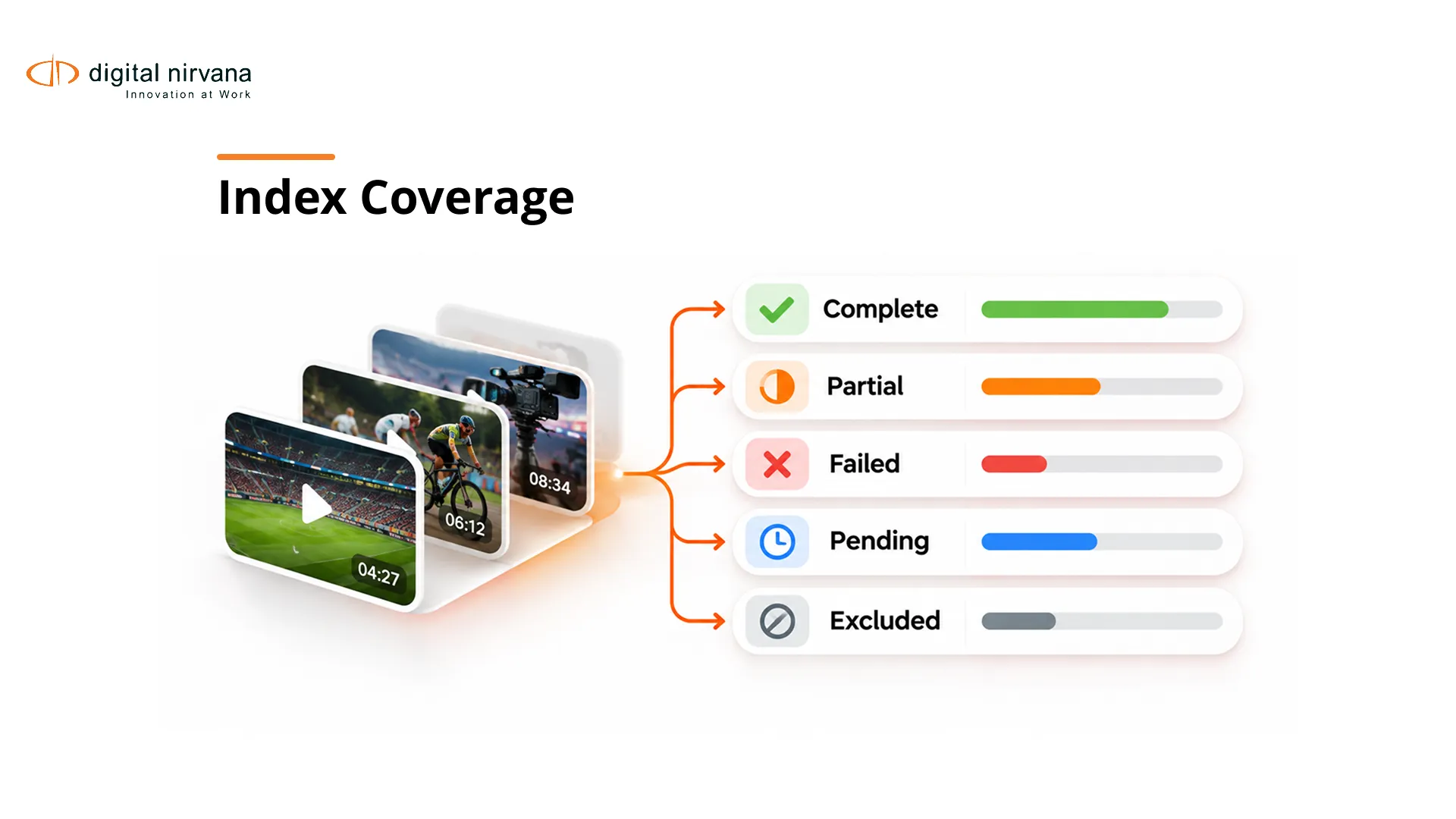
- Require a coverage record that distinguishes indexed, partially processed, failed, and excluded media.
- Test additions, corrections, replacements, and deletions before accepting an archive-wide index.
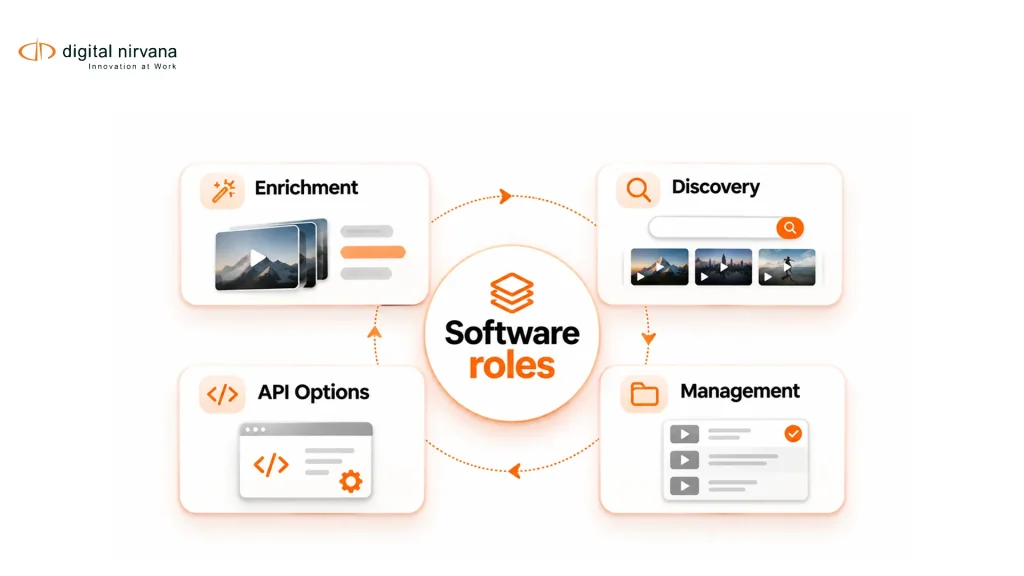
- Compare packaged enrichment, hosted discovery, and developer services against the same retrieval requirements.
- Verify that access changes reach search results, snippets, previews, and exports.
- Include index maintenance, reprocessing, and source recovery in the operating-cost model.
Table of Contents
- What Should Video Indexing Software Include?
- Which Tools Belong on a Broadcast Shortlist?
- How Do You Test Index Coverage and Freshness?
- What Must Happen When Media or Metadata Changes?
- How Should Search Respect Permissions?
- What Makes a Result Usable in Production?
- How Do You Compare Deployment and Operating Cost?
- How Should You Run an Indexing Pilot?
- FAQs
- Conclusion
What Should Video Indexing Software Include?
Video indexing software should create and maintain searchable references to content within identifiable media. A complete workflow connects analysis outputs, source relationships, a searchable representation, and the user’s route back to the recording.
Separate the analysis job from the persistent index. A transcript or visual label can be returned successfully while the search database remains unchanged. Conversely, an asset can appear in search while its analysis is incomplete or its original is unavailable.
Define what your users need to retrieve: a quotation, an appearance, a topic, an action, or a combination. Then specify the time range, source identity, and context that must accompany a result. Digital Nirvana’s media indexing explainer provides background on that content-to-index relationship.
The buying question is who owns each component and its maintenance. Record whether the supplier delivers an end-to-end workflow or whether your engineering team must build the search interface, permissions logic, and update process.
Which Tools Belong on a Broadcast Shortlist?
Shortlist products by their documented operating role and the infrastructure you intend to retain. The following comparison identifies starting points for evaluation, without assigning unsupported rankings or assuming equivalent configurations.
| Option | Documented Starting Point | Requirement to Demonstrate |
| Digital Nirvana MetadataIQ | Enrichment and indexing around established media systems | Accepted records appear correctly in your configured MAM or PAM |
| Azure AI Video Indexer | Video and audio insights through cloud and Azure Arc offerings | The selected offering supplies the required sources and insights |
| Moments Lab MXT | Timecoded descriptions and media indexing | Metadata and retrieval remain usable in your chosen workflow |
| Google Cloud Video Intelligence | Programmatic video analysis capabilities | Your integration provides the persistent index and user workflow |
Microsoft’s Video Indexer overview explicitly distinguishes its cloud and Azure Arc offerings. Moments Lab’s MXT description and the Google API reference establish their respective indexing and analysis roles.
Digital Nirvana supplies MetadataIQ for existing media infrastructure. Verify the proposed connector, output fields, and ownership model against your actual system versions.
How Do You Test Index Coverage and Freshness?
Test coverage by reconciling the source inventory with the records users can search. A single total of processed files cannot tell an archive manager whether important audio tracks, segments, or analysis types are missing.
Require explicit states for pending, complete, partial, failed, and intentionally excluded work. Associate those states with an asset version and analysis configuration. If speech recognition completed but visual analysis failed, the interface should communicate that difference.
Freshness measures how closely the active index reflects accepted changes. Define when a new recording, corrected name, or withdrawn asset should become visible or disappear. Set the target around your newsroom and archive requirements instead of adopting an arbitrary universal number.
During the pilot, add a known file and record when it becomes discoverable. Repeat with a failure and an exclusion. Confirm that users can distinguish an absent result from content that has not yet been processed or is deliberately unavailable.
What Must Happen When Media or Metadata Changes?
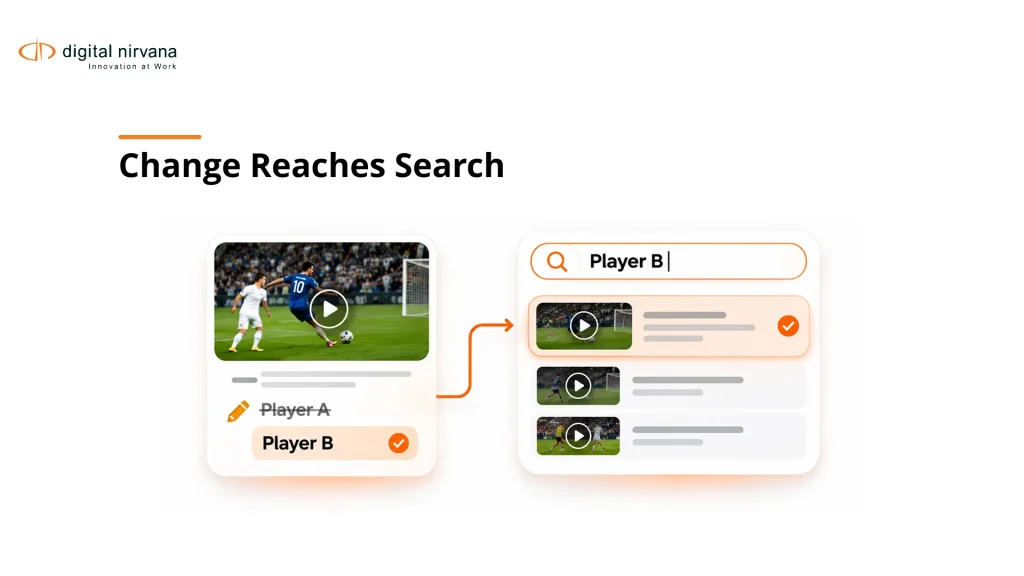
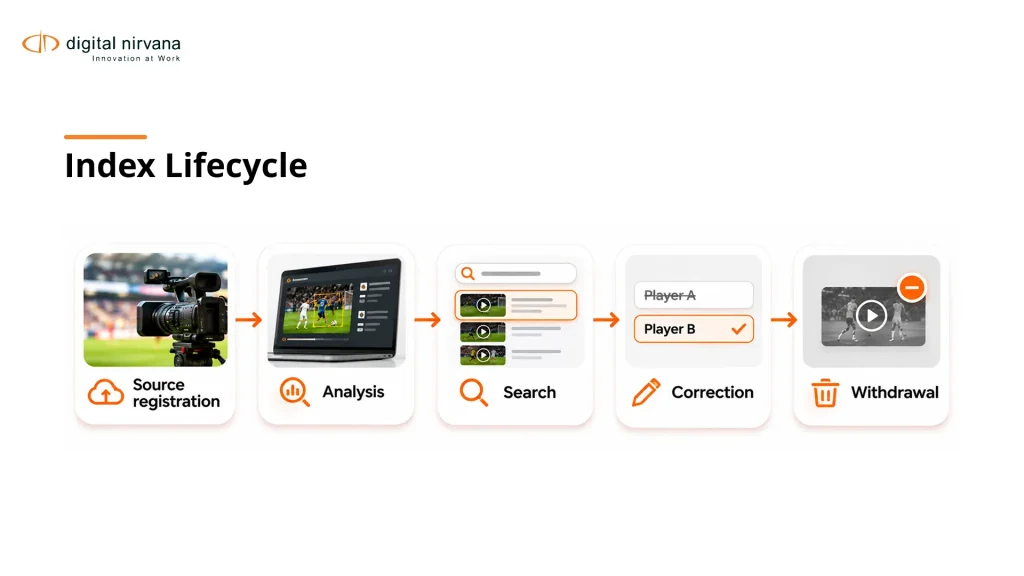
A change should update the active search representation while preserving the asset’s history and accepted corrections. Define separate behavior for a new version, a replacement source, and a metadata-only correction.
Use this proposed change test:
- Index a source containing a deliberately misspelled name.
- Correct the name through the authorized workflow.
- Check results, snippets, filters, and exported records.
- Replace the proxy while preserving its relationship to the original.
- Withdraw the asset and check every user-facing search route.
Keep a version or processing identity with derived records so the integration can identify stale output. A retry should update the intended job rather than create an unexplained duplicate.
If the taxonomy changes, agree whether old labels are remapped, retained as historical values, or regenerated. These choices affect search continuity and reprocessing cost. Protect approved human metadata when rerunning automated analysis and give conflicting changes a visible reconciliation path.
How Should Search Respect Permissions?
Search should enforce the relevant access rules wherever information about restricted content appears. A hidden video can still disclose its contents through a transcript snippet, thumbnail, generated description, or exported search result.
Test with accounts representing ordinary editors, archive staff, external contributors, and administrators. Include an asset whose permissions change after indexing. Confirm that the change reaches the searchable text and preview path as well as the original-file download.
Ask where identity and authorization are evaluated: in the source system, index, application, or a combination. Document how group changes, expired links, and removed users are handled. Treat a supplier’s proposed design as a requirement to verify in the configured environment.
Also distinguish restricted results from genuinely absent footage without exposing protected details. Users need a useful explanation of incomplete coverage, but that explanation should not become a route around access control. Have security and archive owners accept the behavior together.
What Makes a Result Usable in Production?
A usable result identifies the intended recording and opens the correct source range in the receiving workflow. Relevance, timing, rights context, and source availability all contribute to that outcome.
Ask a producer to find a known quote and an assistant editor to open it in the production environment. Repeat the task with an archive restore, an older asset, and a different rendition. Record missing media, shifted timing, and manual reconstruction separately from search response time.
Keep elapsed media offsets, source timecode, and recording wall-clock time distinguishable. An index can locate a phrase correctly within the analyzed proxy while the receiving tool interprets the range differently.
Digital Nirvana’s guide to production-to-archive metadata continuity explains the surrounding handoff problem. In procurement, turn that concern into an acceptance condition: the receiving user must verify the retrieved source, context, and range without reconstructing its history.
How Do You Compare Deployment and Operating Cost?
Compare the cost and responsibility of maintaining useful retrieval over time. Initial archive analysis is only one part of the commitment.
Request a common workload scenario covering ingest, backfill, analysis types, storage, queries, transfer, support, and expected reprocessing. Include internal administration, corrections, exception handling, and receiving-system maintenance. Ask which charges change when an archive is reindexed after a model or schema update.
Deployment also affects access to originals, data movement, recovery, and operational ownership. Verify the exact offered configuration, including processing locations and retained artifacts. A product family with multiple deployment options does not mean every feature is available in each option.
Plan an exit sample during evaluation. Obtain media references, usable metadata, and the relationships needed to rebuild search elsewhere. Record any dependence on proprietary embeddings or a hosted interface so procurement understands what remains portable after the contract ends.
How Should You Run an Indexing Pilot?
Run a pilot that exercises the index’s lifecycle, with reviewed retrieval tasks and deliberate changes. A clean first ingest cannot prove that the service will stay trustworthy as your archive evolves.
Use routine material and known problem cases. Assign a producer to relevance, an assistant editor to source opening, an archivist to record quality, and engineering to update and failure behavior. Keep the acceptance sample separate from tuning examples.
Measure accepted retrieval, important omissions, stale records, permissions failures, and the effort required to recover exceptions. Compare options using the same source inventory and task definitions. Record supplier intervention as part of the operating requirement.
When those conditions are documented, discuss an indexing pilot with Digital Nirvana. Bring the current source inventory, receiving-system map, and failed searches so the evaluation addresses a specific gap.
FAQs
Video indexing software creates searchable references to the contents of recordings. A complete implementation also maintains source relationships, updates, permissions, and the route from a search result to usable media.
Tagging adds labels or descriptions, while indexing organizes searchable representations and connects them to retrieval. A tagging service can feed an index, but the surrounding system must still manage search and changes.
An analysis API can provide building blocks, but your team must verify who supplies the index, interface, permissions, and operating process. Compare the complete implemented workflow rather than an API call alone.
The required reprocessing depends on which derived records the correction affects. A well-defined workflow updates dependent representations while preserving source history and approved human decisions.
Withdrawn content should be handled consistently across active results, snippets, previews, and exports according to your policy. Historical administrative records may need separate treatment from user-facing retrieval.
A useful outcome is reliable retrieval that remains correct after changes and exceptions. Pair accepted source openings with coverage, update behavior, review effort, and operating cost.
Conclusion
Write the lifecycle tests before requesting a search demonstration. Prove that additions, corrections, restrictions, and withdrawals reach the active index, then confirm that the receiving editor can use the result. Choose the system whose maintenance responsibilities your organization can clearly own.