A station group’s VP of engineering is staring at three vendor quotes for a new broadcast monitoring system. All three claim full compliance coverage. All three list similar features: loudness monitoring, closed caption verification, signal quality alerts. On paper, they look nearly identical. But six months after a bad purchase decision, the difference between “looks the same” and “actually works” becomes very expensive.
Buying a broadcast monitoring system isn’t a checkbox exercise. It’s a decision that determines how fast your team can respond to compliance issues, ad disputes, and signal problems, often with real financial and regulatory consequences attached. This guide walks through exactly what to evaluate before you commit.
What a Broadcast Monitoring System Actually Needs to Do
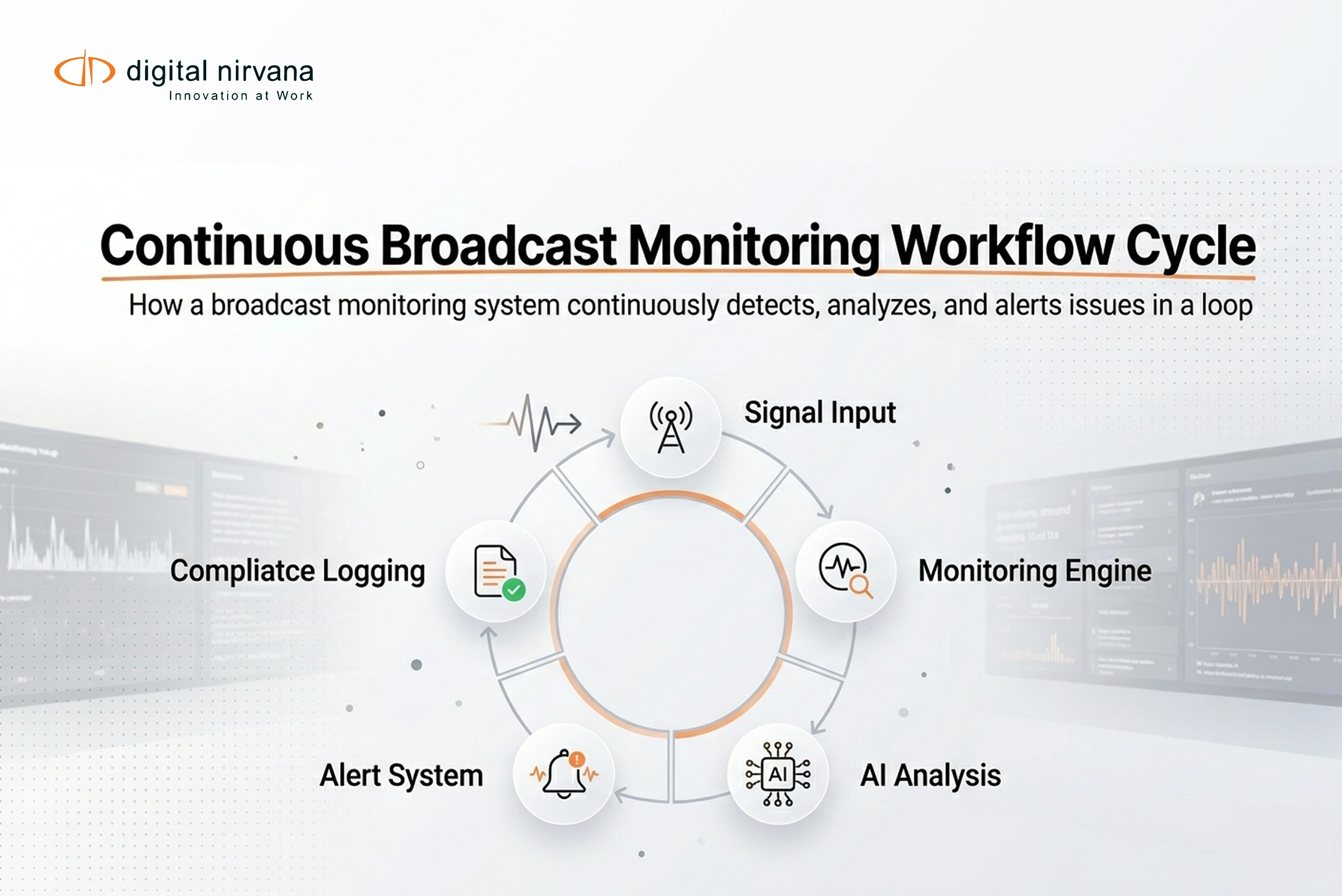
At a baseline, a broadcast monitoring system should continuously track what’s airing across your channels and flag problems before they become disputes. That includes signal quality and transport stream health, loudness compliance, closed caption presence and accuracy, and proof-of-performance logging for ad verification.
The best systems don’t just alert you when something breaks. They build a searchable, timecoded record of everything that aired, so when legal, a sponsor, or a regulator asks a question weeks later, you have an answer in minutes instead of a scramble.
Why This Decision Carries More Weight Than It Used To
Station groups are running more channels, across more markets, with smaller compliance teams than they had five years ago. At the same time, regulatory expectations around closed captioning and audio loudness haven’t loosened, and ad disputes and political content challenges have become routine rather than rare.
Add remote and multi-site operations into the mix, where engineers can’t physically walk into master control every time something looks off, and it’s clear why a monitoring system needs to do more than generate alerts. It needs to give teams visibility, proof, and speed, all from wherever they’re working.
Common Mistakes Teams Make When Buying
The most frequent mistake is evaluating monitoring systems purely on feature checklists rather than actual workflow fit. A system might technically support loudness monitoring, but if pulling a specific clip for a dispute takes 45 minutes of manual searching, that “feature” isn’t actually solving the problem.
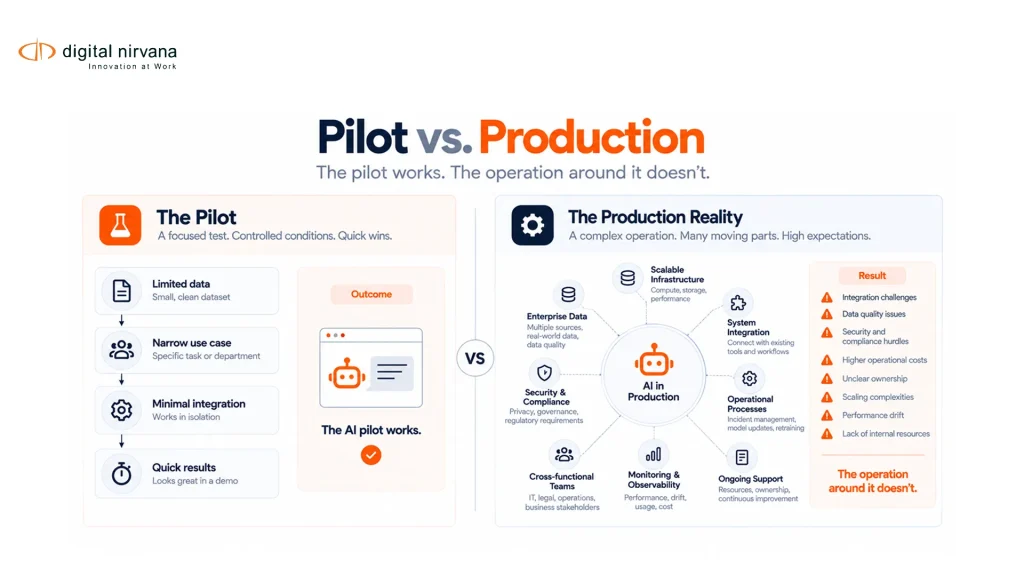
The second common mistake is underestimating integration requirements. Teams often discover, after signing a contract, that the new system doesn’t play well with existing MAM/DAM infrastructure, traffic systems, or playout servers, creating more manual work instead of less.
The third is treating replacement as a rip-and-replace project instead of a migration. Compliance logging can’t have gaps, so switching systems without a clear transition plan risks leaving blind spots during the cutover window itself.
Core Evaluation Criteria: What to Compare Side by Side
| Evaluation Area | What to Look For | Why It Matters |
|---|---|---|
| Compliance coverage | Loudness (CALM Act), closed captioning (CC 608/708), SCTE markers | Baseline regulatory requirement across most US markets |
| Proof-of-performance | Timecoded, searchable ad and program logs | Needed for sponsor disputes and ad reconciliation |
| Remote visibility | Cloud-accessible dashboards across multiple sites | Supports multi-channel, multi-market operations |
| Search speed | Ability to locate a specific segment by keyword, time, or metadata in minutes | Determines real response time during disputes |
| Integration | Compatibility with existing MAM/DAM, traffic, and playout systems | Prevents duplicated manual work post-implementation |
| Caption and transcript accuracy | Human-reviewed or AI-plus-human workflows, not AI-only | Reduces risk of inaccurate records during audits |
| Archival depth | How far back searchable records extend | Disputes often surface months after original airing |
A Practical Evaluation Workflow
Before requesting a demo, document your current compliance pain points specifically. Is it ad reconciliation? Caption audits? Signal quality blind spots on a remote site? A vendor demo tailored to a vague “show me everything” request tells you far less than one built around your actual failure points.
During the demo, ask the vendor to show you the full journey from a dispute trigger to a delivered evidence package, not just the dashboard. Watch how many steps and how much manual work it takes to go from “we need to verify this aired” to an exportable, timecoded proof package.
Ask about integration specifically with your existing media indexing and archive systems, not just playout and traffic. Compliance and search increasingly overlap, and a monitoring system that can’t talk to your metadata and archive tools creates fragmentation you’ll feel later.
Measuring Success After Implementation
Once a system is live, track a few concrete signals: average time to locate and package a specific compliance record, number of caption or loudness violations caught before they became external complaints, and reduction in manual logging hours across the compliance team.
A system that’s working shows a clear drop in response time to disputes and a corresponding drop in staff hours spent on manual review. If those numbers aren’t moving after a few months, it’s worth revisiting whether the implementation actually matches how your team works day to day, not just what the sales demo showed.
Buying Checklist Before You Sign
- [ ] Confirm coverage for loudness, closed captioning, and SCTE compliance across all your markets
- [ ] Verify remote, cloud-based access for multi-site or multi-channel operations
- [ ] Test search speed for locating a specific segment, not just browsing a dashboard
- [ ] Confirm integration with existing MAM/DAM, traffic, and playout systems
- [ ] Ask whether caption and transcript workflows include human review, not AI-only output
- [ ] Clarify archival retention length for searchable compliance records
- [ ] Request a migration plan that avoids compliance gaps during cutover
- [ ] Ask for references from station groups of similar size and channel count
Common Objections, Addressed
“Our current logger works fine, why replace it?” Legacy loggers often work fine for basic recording but fall short on search speed and remote visibility. If pulling a clip for a dispute still takes significant manual time, the system isn’t fully solving the problem, even if nothing has technically “broken.”
“We don’t want another platform to manage.” The strongest broadcast monitoring systems are built to integrate into existing master control and archive workflows rather than requiring a separate, siloed tool.
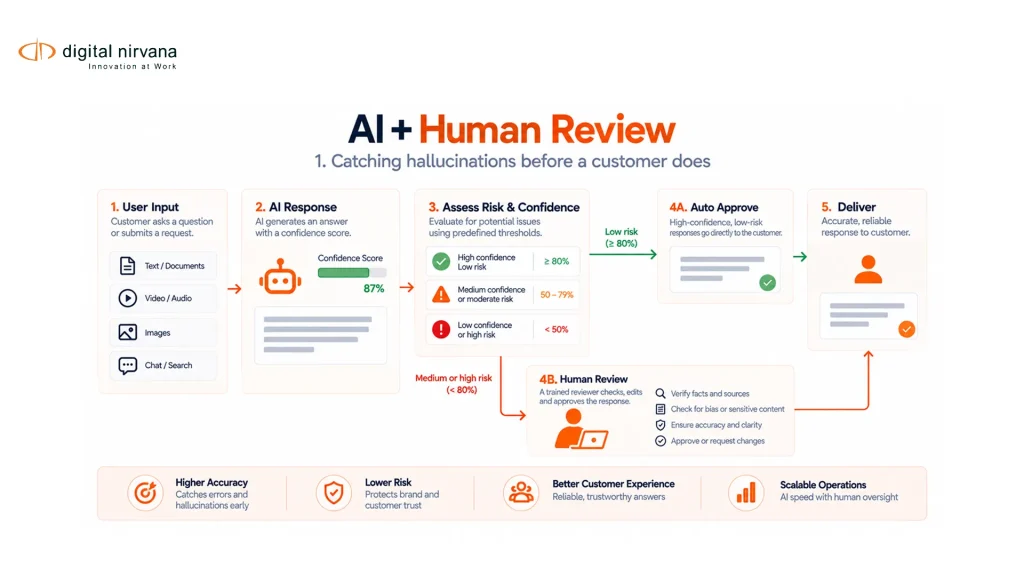
“AI-based caption verification sounds risky for compliance purposes.” This is a fair concern, and the best implementations pair AI detection with human review for anything that becomes part of an official compliance or caption and transcript record.
FAQ
How long should compliance records stay searchable? Most station groups retain searchable records for at least a year, since ad disputes and political content challenges can surface months after original airing.
Can one system cover linear, OTT, and FAST channels? Increasingly, yes. Look specifically for vendors who’ve built proof-of-performance and compliance logging to work across all three, not just traditional linear broadcast.
What’s the realistic timeline for replacing a compliance logger without gaps? This depends on channel count and site complexity, but a phased migration with parallel running of old and new systems for a defined overlap period is standard practice to avoid coverage gaps.
Where Digital Nirvana Fits Into This Decision
Evaluating a broadcast monitoring system ultimately comes down to one question: when a dispute lands on your desk, how fast can your team produce defensible proof? Digital Nirvana’s MonitorIQ platform was built around exactly that question, combining compliance logging, loudness and QoE monitoring, and proof-of-performance tracking in one system built for multi-channel, multi-site operations.
Paired with AI-powered media indexing and AI/ML microservices for logo, face, and scene detection, teams get searchable, timecoded records that go beyond basic compliance logging into full evidence-ready documentation. Human-reviewed captioning and transcription support keeps those records accurate enough to stand up to audit or legal scrutiny.
Bringing the Buying Decision Together
A broadcast monitoring system is infrastructure your compliance, engineering, and legal teams will depend on every single day, and especially on the worst days, when a dispute lands without warning. The right evaluation process goes beyond a feature checklist and tests how the system actually performs under the exact scenarios your team faces: fast search, clean integration, and defensible, timecoded proof. Reviewing recent success stories from broadcasters who’ve made this transition offers a useful benchmark for what good implementation actually looks like.
Conclusion
Choosing a broadcast monitoring system isn’t just a technology purchase, it’s a decision about how quickly and confidently your team can respond when compliance, legal, or a sponsor comes calling. Systems that look similar on paper often perform very differently under real dispute pressure. Evaluate based on search speed, integration, and defensibility of the evidence produced, not just the feature list, and the right choice becomes a lot clearer.
Key Takeaways
- A broadcast monitoring system should provide continuous compliance tracking plus fast, searchable, timecoded proof, not just alerts.
- Multi-channel, multi-site operations make remote visibility and search speed critical evaluation criteria, not nice-to-haves.
- Integration with existing MAM/DAM, traffic, and playout systems prevents fragmented, duplicated manual work post-purchase.
- Pair AI-based caption and loudness detection with human review for anything used in official compliance records.
- Plan migration as a phased, overlapping process to avoid compliance gaps during cutover.
- Track response time to disputes and manual logging hours after implementation to confirm the system is actually working.