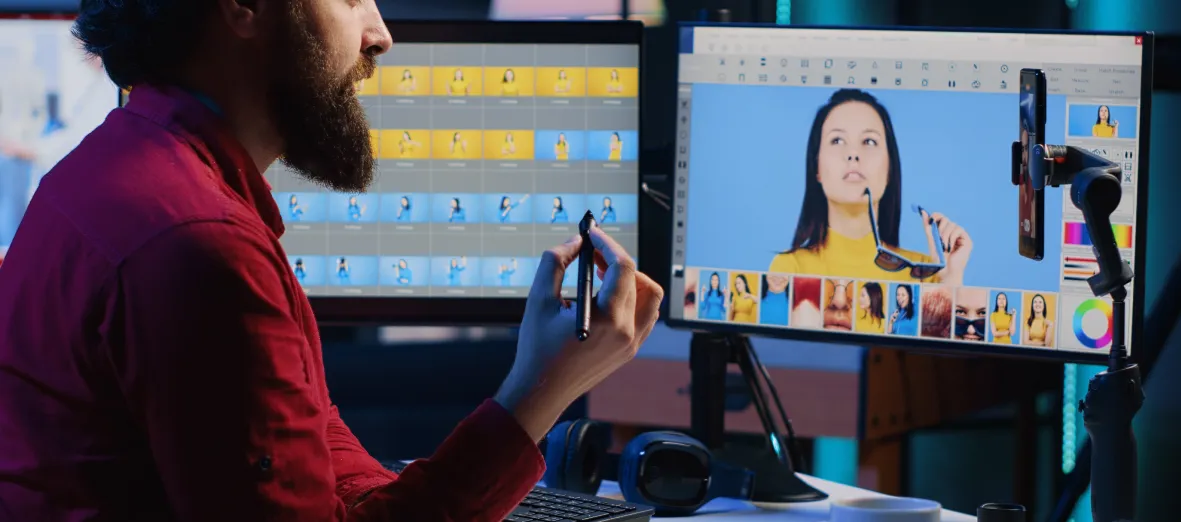
It is 11pm. An assistant editor is logging a six-hour interview shoot so the edit can start at nine tomorrow. She is typing timecodes into a spreadsheet. The show has not been cut yet. Nothing creative has happened all evening.
That is where post-production time actually goes, and it is the part almost nobody demos at a trade show.
Most AI conversations in post focus on the glamorous end: automatic assembly, generative fill, one-click colour. The returns are real but narrow. The reliable money sits in the unglamorous middle of the schedule, where hours disappear into logging, searching, versioning and checking. Clear that, and the creative work gets the time it was quoted for.
Where the hours actually go
| Stage | Typical share of schedule | AI-addressable today |
| Ingest, logging, sync | High on unscripted and multicam | Yes, almost entirely |
| Searching for takes, quotes, b-roll | Continuous, hard to measure | Yes, if search reaches the timeline |
| Rough assembly and selects | Moderate | Partially, transcript-driven |
| Creative edit, sound, colour, VFX | The value the client pays for | Assist only |
| Versioning and localisation | Grows with every platform | Yes |
| Captions, subtitles, deliverables | Fixed cost per deliverable | Yes |
| QC and conformance | Late, rushed, expensive when missed | Yes, as a first pass |
| Delivery packaging and metadata | Administrative | Yes |
Look at the pattern. AI barely touches the row your client is actually buying. It touches almost every row surrounding it. In a fixed-bid post house, those surrounding rows are where margin lives or dies.
The rule that decides whether AI helps
Here is the test that separates useful post-production AI from a subscription nobody renews.
Does the output land where the editor already works?
A transcript in a browser tab is a second system. Someone has to open it, search it, read a timecode, switch to the NLE and scrub to the point. That is four context switches to save one search, which is why so many AI pilots quietly stop being used after month two.
The same transcript written back as time-coded markers inside Avid Media Composer or MediaCentral is a different product entirely. The editor types a phrase in the tool they already have open and the matching moments appear on the timeline. No export, no second login, no new habit to enforce across freelancers who rotate every fortnight.
This is the core design principle behind MetadataIQ, which indexes speech-to-text and video intelligence directly into Avid and broader PAM and MAM environments rather than beside them. Our explainer on production workflow metadata in PAM and MAM covers how that connection is made.
Six jobs AI does well in post right now
Automated logging at ingest. Speech-to-text, speaker identification, scene description, object and face detection, on-screen text via OCR. Generated as media lands rather than as a separate task at 11pm.
Transcript-driven selects. For interview, documentary and unscripted work, searching what was said is faster than scrubbing what was shot. Pull quotes become a text operation.
Logo and brand detection. Sponsor placement, product visibility and clearance checks, evidenced with timecode rather than memory.
Compliance flagging. Profanity, nudity, violence and sensitive content marked automatically for review before a client or platform finds it.
Caption, subtitle and translation generation. A first pass produced from the same transcript that is already indexing your media, then reviewed to spec.
Deliverable metadata. Descriptive, technical, rights and accessibility metadata assembled from work already done, instead of retyped into a delivery template.
Our guide to multimedia workflow automation with metadata goes into how these outputs stack across a facility.
What AI should not own
Being clear about this protects the case for everything above.
Creative judgment stays human. Pacing, performance selection and story structure are the deliverable, not overhead. Final QC stays human, because a machine that flags 90% of issues has still left the 10% that reach the client. Rights and clearance decisions stay human, since a detection is evidence, not permission. And client-facing accuracy on regulated deliverables stays human-reviewed, as we argue in our piece on caption accuracy and word error rate.
The working model is AI for first-pass detection at volume, humans for judgment, context and sign-off. Every deployment that skips the second half generates rework that erases the saving.
A realistic AI-assisted post workflow
- Ingest. Media lands. Speech-to-text, detections and scene data generate automatically and write back as markers.
- Logging. The assistant reviews and corrects machine output rather than creating it from nothing. The 11pm task becomes a morning check.
- Selects. The editor searches phrases, names and objects inside the NLE and pulls candidates straight to the timeline.
- Edit. Unchanged. This is the part the client is paying for.
- Versioning. Cut-downs and regional variants inherit the metadata layer instead of restarting it.
- Deliverables. Captions, subtitles and translations generate from the indexed transcript, then go to human review and platform conformance.
- QC. Automated checks run first on compliance flags, caption timing and format conformance. Human QC reviews exceptions.
- Delivery and archive. The metadata that accelerated the edit ships with the asset, so the archive is searchable from day one.
Notice that no step was replaced. Each was moved earlier and made cheaper.
Integration is the whole project
Post houses do not have the luxury of rip and replace. Freelancers arrive knowing Avid, Adobe and Resolve, and a facility cannot retrain them per project.
Three integration questions decide success. Does it write into the systems already in use, including Avid, Adobe and your MAM or DAM? Does it expose APIs so you can trigger processing from your existing orchestration instead of a portal? And does it handle the formats your clients actually demand, from broadcast caption files to IMF-era delivery packages?
Where teams want capability without a platform commitment, MediaServicesIQ exposes speech, OCR, logo, object and scene services through APIs so processing runs inside workflows you already own. For facilities modernising the underlying infrastructure at the same time, cloud engineering covers the pipeline and storage side.
Measuring whether it worked
| Metric | Baseline to capture first | What good looks like |
| Logging hours per hour of rushes | Time an unscripted project end to end | Falls sharply, does not reach zero |
| Time to find a known clip | Stopwatch, five real searches | Seconds, from inside the NLE |
| Caption and subtitle turnaround | Current per-deliverable hours | Down, with accuracy held or improved |
| QC exceptions caught pre-delivery | Count of client-reported issues | Fewer issues reaching the client |
| Rework hours per project | Often invisible, worth surfacing | The number that decides the business case |
| Asset reuse rate | Clips pulled from archive per month | Rises once search is trusted |
Capture the baselines before you deploy anything. Facilities that skip this cannot prove a change happened, and the pilot dies at renewal for want of a number.
Adoption checklist
- Pick one project type as the pilot, ideally high-volume unscripted
- Record baselines for logging time, search time and rework before day one
- Require write-back into the NLE, not a separate interface
- Register recurring vocabulary: names, brands, jargon, locations
- Define who reviews machine output and at which stage
- Keep human sign-off on QC, rights and client-facing accuracy
- Agree metadata standards with your MAM before scaling past the pilot
- Review after one full project cycle, not one week
Common objections, answered
“Our editors will not change how they work.” They should not have to. If adoption requires a new habit, the integration is wrong.
“AI output is not accurate enough for client delivery.” Correct, as a finished product. It is accurate enough as a first pass under review, which is the only claim worth making.
“We tried an AI tool and nobody used it.” Almost always a placement problem rather than a quality problem. Check whether the output ever reached the timeline.
How Digital Nirvana fits post-production workflows
Digital Nirvana has spent years on the specific problem of getting AI output into the systems editors already have open.
MetadataIQ generates speech-to-text and video intelligence and writes it back as time-coded markers inside Avid and broader PAM and MAM environments, so search happens in the timeline rather than a browser. Media Enrichment provides the review capacity behind it: caption specialists, translators and QC reviewers who turn first-pass output into deliverables that pass conformance. TranceIQ handles the captioning, subtitling and localisation deliverables themselves, in the formats your clients specify.
The combination matters more than any single component. Automation without review capacity creates rework. Review capacity without automation does not scale. Our customer success stories document how facilities have run both together.
Where post-production metadata pays off later
The metadata that speeds up an edit does not stop being useful at delivery.
Every marker generated during post becomes archive metadata, which is what makes a library searchable, licensable and reusable years later. That is the bridge between a cost centre and a revenue line, which we explore in our piece on media monetization with AI. The same layer supports compliance evidence, sponsor exposure reporting and accessibility deliverables.
One indexing pass. Faster edits now, a searchable archive later.
Conclusion
AI in post-production is not about replacing the edit. It is about clearing everything crowding the edit out of the schedule.
Logging, searching, versioning, captioning and QC are where the hours quietly go, and they are the rows where automation returns time reliably. The facilities getting real value share one habit: they insisted the output land inside the tools their editors already use, measured the baseline before switching anything on, and kept humans on judgment.
Do that and AI stops being a demo. It becomes the reason the edit starts at nine.
Key takeaways
- AI returns the most time in logging, search, versioning, captioning and QC, not in the creative edit itself.
- The deciding factor is placement. Output that lands as markers in the NLE gets used. Output in a browser tab does not.
- Use AI for first-pass detection at volume and humans for judgment, rights and sign-off.
- Integration with Avid, Adobe, MAM and DAM, plus API access, matters more than model quality in a working facility.
- Capture baselines for logging time, search time and rework before deployment or you cannot prove the gain.
- Metadata created during post becomes archive value later, turning a production cost into a searchable, licensable asset.
Frequently asked questions
What can AI realistically automate in post-production today? Logging and indexing at ingest, transcript-driven search and selects, logo and object detection, compliance flagging, caption and subtitle first passes, and deliverable metadata assembly. Creative decisions and final sign-off remain human.
Does AI metadata work inside Avid and Adobe workflows? Yes. The important distinction is whether metadata is written back as time-coded markers inside the editing environment or left in a separate interface. Only the first changes how editors work.
Will AI reduce headcount in a post facility? In practice it shifts work rather than removing it. Assistants move from creating logs to reviewing them, and capacity moves toward deliverables, versioning and QC, which is where volume keeps growing.
How long before an AI post-production workflow pays back? Most facilities can measure a difference within one full project cycle, provided baselines for logging time, search time and rework were captured before deployment.
Ready to see where your schedule is actually going? Book a 20-minute post-production workflow review and we will map your current logging, search and deliverable hours against what an indexed workflow would return.