A commentary team calls a live match, crowd noise rising and falling with every play. Somewhere in the control room, an automatic transcription engine is trying to keep up, and the output tells the story: a player’s name spelled three different ways, a sponsor mention garbled beyond recognition, a sideline report lost entirely under the noise.
For highlight teams, compliance logging, and rapid clip creation, this isn’t a minor annoyance. It’s the difference between a searchable, usable transcript and one nobody trusts enough to rely on. Getting automatic transcription right in noisy live environments takes more than picking a good speech-to-text engine. It takes a system.
Why Noisy Live Audio Isn’t One Problem
It’s tempting to treat “noisy audio” as a single technical challenge with a single fix. In practice, it’s usually several distinct problems happening at once, and each one needs a different kind of attention.
Crowd noise and ambient sound compete directly with speech for the same frequency range a model relies on. Overlapping speakers, common in panels, debates, and sideline conversations, confuse both word recognition and speaker attribution. Domain-specific jargon, whether it’s sports terminology, financial vocabulary, or industry acronyms, trips up general-purpose language models that were never trained on that specific content. And inconsistent audio capture, whether from a shaky field mic or a compressed stream feed, degrades the signal before the transcription engine ever gets a clean shot at it.
Treating this as a single “accuracy problem” leads teams to chase the wrong fix. The real work happens across three layers: audio capture, vocabulary training, and ongoing quality control.
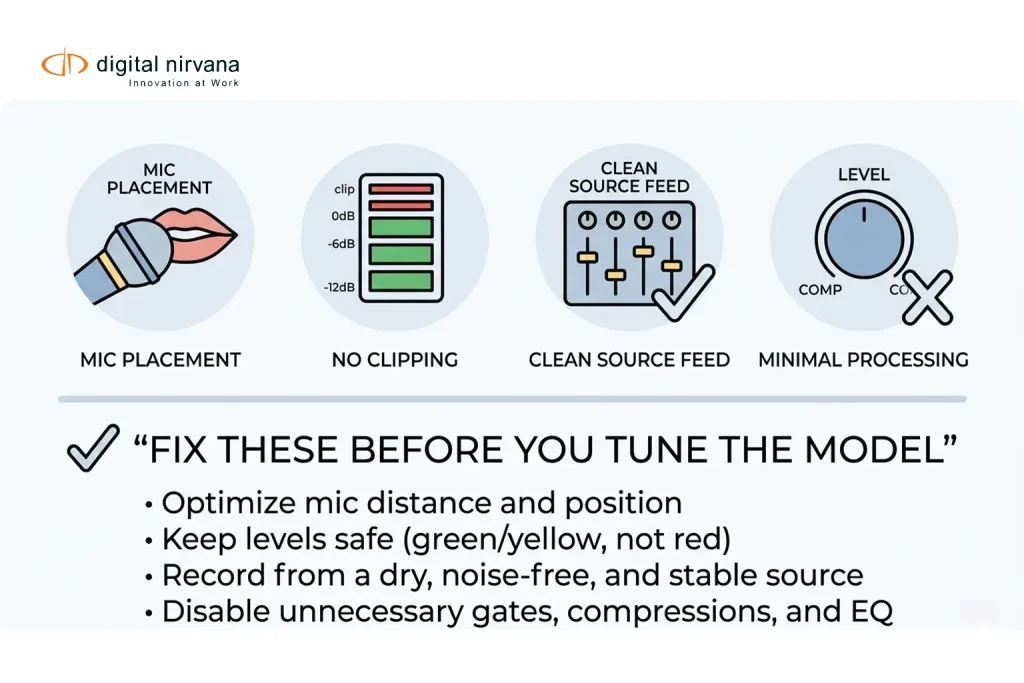
The Capture Layer: Getting a Clean Signal In
Accuracy starts before any AI model touches the audio. Best practice guidance across the speech-to-text industry consistently points to the same fundamentals: keep the microphone close to the source, avoid clipping the signal, and avoid processing that alters the audio in unpredictable ways before it reaches the transcription engine.
This matters more in live environments than it does in controlled studio recording, because live audio paths often run through multiple processing stages, compression, mixing, streaming encoders, each of which can introduce artifacts that make transcription harder. A transcription engine can only work with what it receives, and a degraded signal puts a ceiling on accuracy no model can fully overcome downstream.
The Vocabulary Layer: Teaching the Model Your World
General-purpose speech recognition models are trained on broad, generic language. They don’t inherently know your talent roster, your sponsor list, your recurring show segments, or the internal abbreviations your team uses daily. That gap is exactly where a lot of transcription errors come from, and it’s also the most fixable part of the entire problem.
Most modern transcription platforms support some form of vocabulary or language model adaptation, letting teams boost recognition of specific phrases that matter to their content. This is particularly valuable in noisy conditions, where the model needs every possible advantage to correctly identify a word it might otherwise mishear.
A practical starting point looks like this: build a baseline vocabulary pack covering your talent roster, sponsor names, recurring locations, common show segment titles, and frequently used internal abbreviations. From there, treat vocabulary as a living document, not a one-time setup task.
Building a Weekly Vocabulary Improvement Loop
The teams that see transcription accuracy actually improve over time, rather than plateauing, tend to run a consistent weekly process rather than treating vocabulary tuning as a one-off project.
Each week, pull the top transcription misses surfaced during QC review. For each miss, decide whether it belongs in the vocabulary list, needs to be added as a specific phrase pairing, or should simply be ignored as a one-off error not worth chasing. Assign clear ownership of this process to one person or team, even if input comes from multiple departments, since accuracy tends to improve faster when someone is actually accountable for keeping the vocabulary list current and versioned.
It’s worth resisting the urge to add every possible term. Overstuffed vocabulary lists can create confusing collisions between similar-sounding words, which sometimes makes accuracy worse rather than better. Trim terms that no longer appear in your content, and pay close attention to lookalike entries that could confuse the model rather than help it.
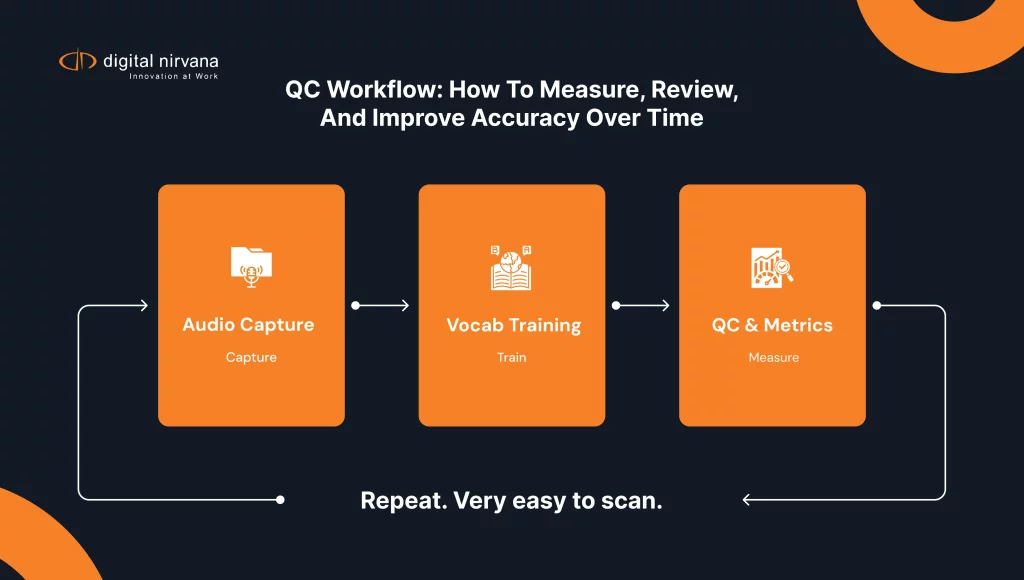
The QC Layer: Where Accuracy Actually Gets Measured and Improved
Vocabulary tuning and capture improvements only work if there’s a consistent QC process feeding data back into the loop. Without that feedback, teams end up guessing at what’s actually going wrong instead of fixing it systematically.
A solid QC workflow samples transcription output regularly, ideally across a representative range of conditions rather than only the easiest content. A system that performs well on a calm anchor monologue but poorly during overlapping panel discussion or crowd-noise-heavy sports coverage might still be unsuitable for the specific use case a team actually needs it for. Testing needs to reflect real operating conditions, not just the cleanest available audio.
Word Error Rate Isn’t the Whole Picture
Most teams default to word error rate as the primary accuracy metric, and it’s a reasonable starting point. But it doesn’t capture everything that determines whether a transcript is actually usable.
Speaker attribution accuracy matters just as much in many workflows, particularly for panel discussions, interviews, or any content where knowing who said what carries real value. A transcript can have highly accurate words but completely unusable speaker labels, or accurate speaker turns paired with weak word-level accuracy. Both scenarios produce a transcript that fails the team relying on it, just in different ways. Evaluating transcription systems only on word error rate risks missing a failure mode that shows up the moment real production use begins.
What This Looks Like in Practice: A Sports Broadcast Scenario
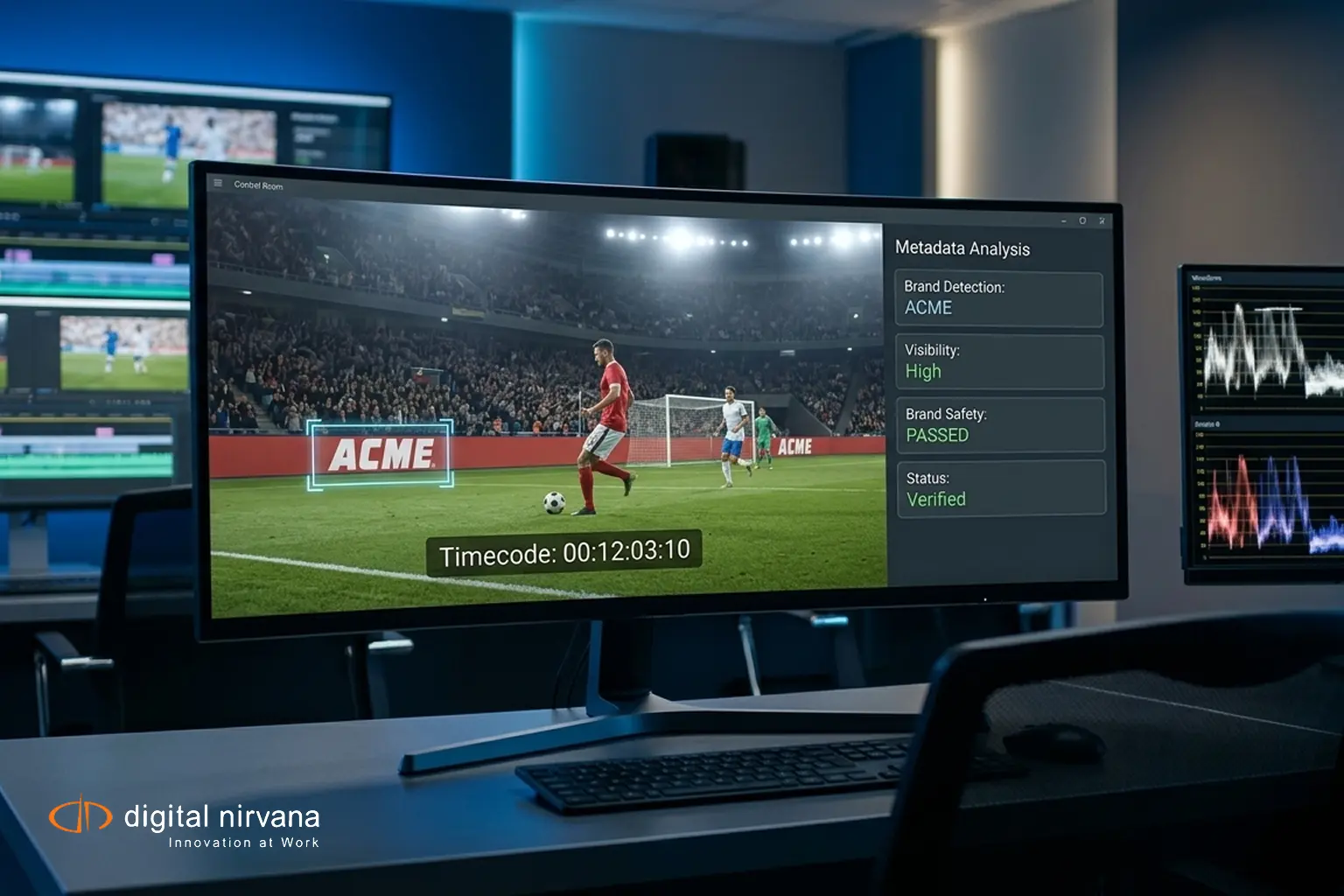
A live match generates audio layered with crowd noise, excited play-by-play delivery, commentary pairs talking over each other, and periodic public-address announcements. This is about as challenging as live audio gets, and it’s exactly the kind of scenario that separates a transcription system that works from one that only looks good in a demo.
Testing for this kind of content needs to use the same noisy, fast-changing conditions the system will actually face in production, not a clean isolated audio channel that doesn’t represent reality. A vocabulary pack loaded with player names, team terminology, and sponsor mentions gives the model a meaningful accuracy boost specifically in this kind of high-noise, jargon-heavy environment.
Key Capabilities Worth Prioritizing
- Timecoded transcription output that ties directly back to source video for immediate clip creation
- Vocabulary or language model adaptation to boost accuracy on domain-specific terms
- Speaker diarization accuracy measured separately from word-level accuracy
- QC workflows that sample representative, noisy real-world conditions rather than only clean audio
- A repeatable process for feeding QC findings back into vocabulary and configuration updates
Addressing the Common Objections
“We already use a general-purpose transcription tool, isn’t that enough?” General models handle broad language well but consistently struggle with domain-specific vocabulary, which is exactly the gap vocabulary adaptation and ongoing tuning are built to close.
“Vocabulary tuning sounds like ongoing work we don’t have time for.” It is ongoing work, but it’s also the single highest-leverage fix available for noisy, jargon-heavy content. A weekly review process, even a lightweight one, tends to pay for itself quickly in reduced manual correction time.
“Our accuracy numbers look fine on average.” Averages can hide the failure modes that actually matter. A system might perform well on calm segments while failing badly during exactly the noisy, overlapping-speaker moments a team needs the transcript for most.
How Digital Nirvana Approaches Transcription in Noisy Live Conditions
MetadataIQ generates timecoded transcription output as part of its broader media indexing capability, connecting speech data directly to searchable metadata across a media library, whether that content came from a clean studio recording or a noisy live broadcast.
For workflows where transcription feeds directly into captioning and delivery, TranceIQ combines automated speech recognition with structured QC and human review, which matters most in exactly the noisy, high-stakes live content this guide covers. Broadcasters running compliance logging alongside transcription often connect this work to MonitorIQ, while teams handling high-volume review benefit from the managed support available through Media Enrichment.
Why Getting This Right Matters Beyond the Transcript Itself
Transcription accuracy in noisy live conditions isn’t just about producing readable text. It feeds directly into highlight creation, compliance logging, searchable archives, and caption accuracy, which means an accuracy gap at the transcription layer quietly degrades every downstream workflow that depends on it.
Teams treating this as a system, capture quality, vocabulary tuning, and structured QC working together, rather than a single model swap, are the ones seeing transcription accuracy actually improve over time instead of plateauing at “good enough.” Digital Nirvana’s success stories show how media teams handling exactly this kind of noisy, high-volume live content have built that system successfully.
Frequently Asked Questions
What’s the biggest single factor in improving transcription accuracy for noisy live content? Vocabulary or language model adaptation tends to deliver the most noticeable improvement for domain-specific, jargon-heavy content, since general-purpose models simply weren’t trained on your specific terminology.
Should transcription accuracy be measured with word error rate alone? No. Speaker attribution accuracy, often measured separately, matters just as much for content where knowing who said what carries real value, and a system can score well on one metric while failing the other.
How often should a vocabulary list be updated for live transcription? A weekly review process, pulling top misses from QC and deciding what to add, works well for most teams, keeping the vocabulary current without letting it grow so large that it creates confusing collisions.
Conclusion
Noisy live transcription accuracy doesn’t improve from a single fix. It improves from a system: clean audio capture, a vocabulary list that actually reflects your content, and a QC process that catches real failure modes instead of just tracking a comfortable average. Teams that build that loop consistently are the ones whose transcripts stay usable exactly when the stakes are highest, during the loud, fast, jargon-heavy moments that matter most.
Key Takeaways
- Noisy live audio is several problems at once: ambient noise, overlapping speakers, jargon, and inconsistent capture
- Clean audio capture puts a ceiling on downstream accuracy that no model can fully overcome later
- Vocabulary adaptation, built around talent, sponsors, and recurring terms, is one of the highest-leverage accuracy fixes available
- A weekly QC-to-vocabulary feedback loop drives ongoing improvement, rather than a one-time setup
- Word error rate alone doesn’t capture speaker attribution failures, which matter separately for many workflows
- QC testing needs representative, noisy real-world conditions, not just clean audio samples