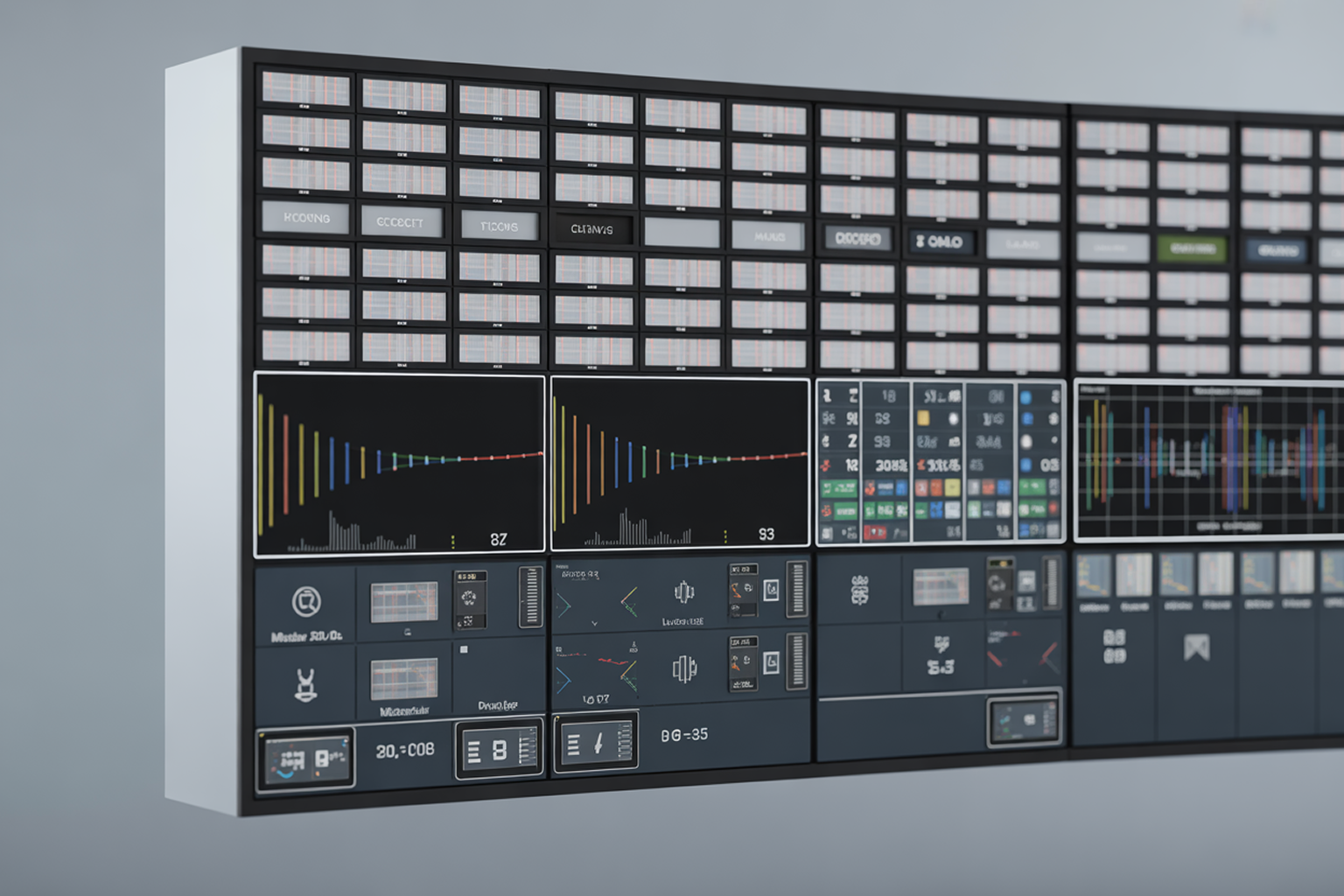
Walk into any modern MCR, PCR, or network operations center, and you’ll see the same thing:
Walls of screens, each showing multiple channels, feeds, and return paths at once.
A multiviewer powers that wall.
But in 2025, multiviewers are no longer just “video mosaics.” They’ve evolved into real-time monitoring hubs that combine images, audio, and rich telemetry, enabling operators to spot problems early, protect QoE, and meet strict compliance requirements across linear and OTT.
Digital Nirvana’s MonitorIQ sits in this world as an ML-powered broadcast monitoring and compliance logging platform that lets teams record, store, monitor, analyze, and repurpose content from any point in the delivery chain, from SDI in the plant to OTT at the edge.
This article breaks down:
- What multiviewer monitoring?
- Why it’s so critical for broadcast and streaming teams.
- How MonitorIQ fits into a multiviewer-centric monitoring strategy.
- Practical use cases and FAQs you can share with engineering and operations.
What Is a Multiviewer?
In simple terms, a multiviewer is a system that takes multiple audio/video inputs and displays them together on one or more screens as a mosaic. It lets operators watch multiple feeds at once, without needing a separate monitor for each one.
Historically, multiviewers were hardware boxes connected to SDI routers. Today, most vendors offer software-based multiviewers that support:
They’re essential in:
- Production control rooms – for live switching and production
- Master control/playout – for checking outgoing channels and return feeds
- Headends/contribution nodes – for monitoring inbound and outbound paths
- OTT NOCs – for watching ABR ladders and CDN outputs
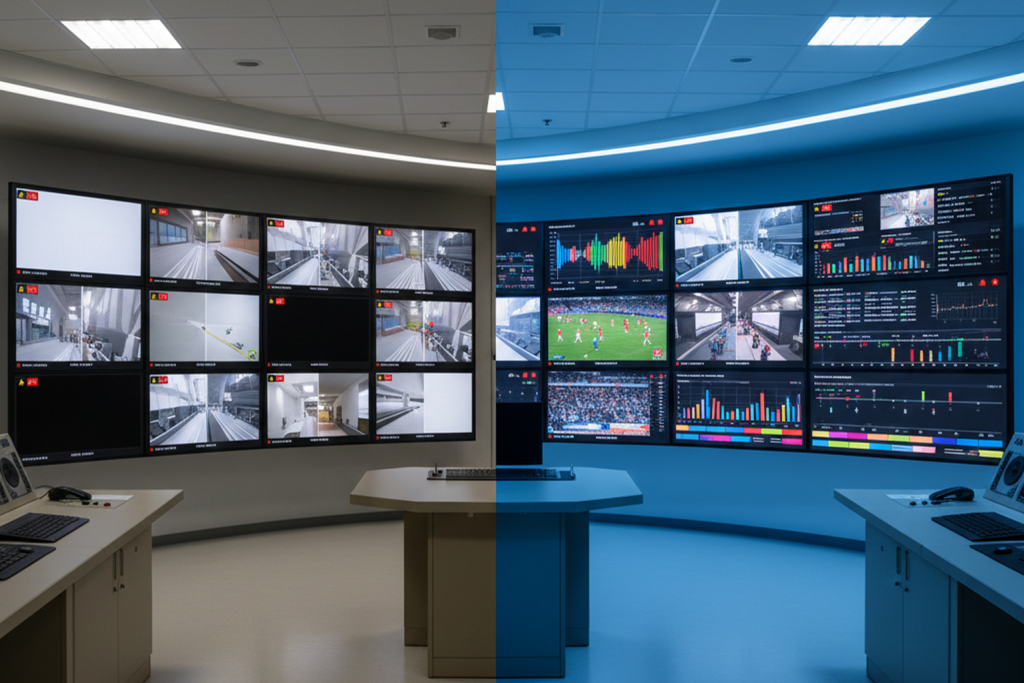
What Is Multiviewer Monitoring?
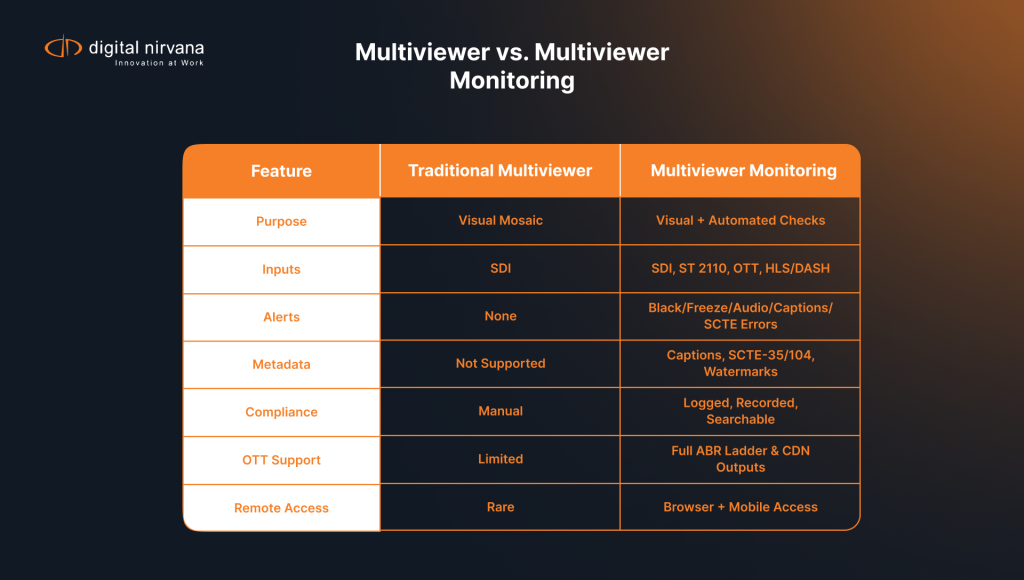
Multiviewer monitoring takes the visual mosaic and adds intelligence and alarms on top.
Instead of just showing pictures, a multiviewer-monitoring system:
- Displays multiple feeds together
- Continuously checks QoS metrics (e.g., black, freeze, audio silence, PID integrity, TS errors)
- Tracks QoE indicators (e.g., video quality, artefacts, caption presence, audio loudness)
- Triggers alarms and logs events when thresholds are crossed
Modern multiviewers have effectively become real-time monitoring dashboards for hybrid SDI/IP/OTT workflows, with APIs and cloud deployment options rather than just fixed hardware in a rack.
Why Multiviewer Monitoring Matters for Broadcast Teams
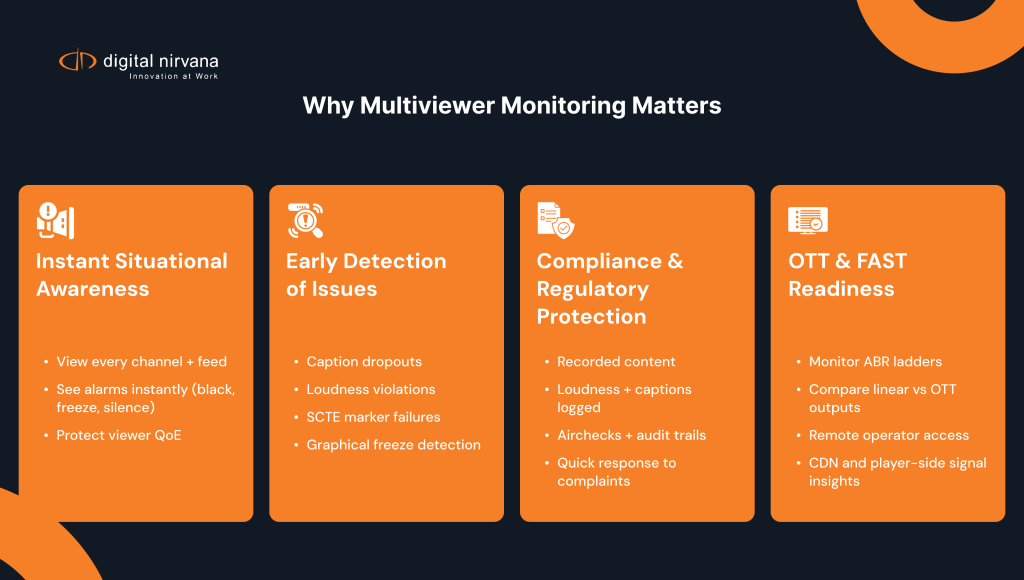
1. Instant Situational Awareness
When you have dozens or hundreds of channels, you can’t wait for viewer complaints or social media to tell you something broke.
Multiviewer monitoring gives engineering and operations teams:
- A single pane of glass to see every channel and key metrics
- Visual cues and alarms for black, freeze, audio loss, or muted channels
- Confidence that everything that should be on-air actually is Actus Digital.
Combined with QoE monitoring practices (e.g., tracking perceived video and audio quality), this directly impacts viewer satisfaction and churn.
2. Early Detection of QoS/QoE Issues
Minor issues escalate fast in live broadcasts:
- Missing or delayed captions
- Loudness violations
- Frozen graphics or stuck slates
- Broken SCTE-35 ad markers
Multiviewer monitoring lets operators catch these within seconds instead of minutes, supported by automated checks for loudness, caption presence, and service integrity.
3. Compliance and Regulatory Protection
Regulators and rights-holders expect proof:
- What aired
- When it aired
- Whether captions and loudness met regulations
Monitoring platforms that combine multiviewer-style viewing with compliance logging and content recording give broadcasters a defensible record for audits, complaints, and licensing disputes.
4. Support for OTT, FAST, and Hybrid Workflows
As content moves to streaming and hybrid environments, multiviewers have extended to:
- Monitor ABR ladders and CDN outputs
- Visualize linear and OTT in the same UI
- Support remote operators via browser-based multiviewer screens Actus Digital.
This flexibility is crucial as more operations adopt cloud, remote production, and distributed master control models.
Key Capabilities to Look For in Multiviewer Monitoring
When you evaluate multiviewer monitoring for your facility, consider these pillars:
1. Multi-Format, Multi-Point Coverage
Your monitoring should be able to “see” the whole chain:
- Contribution and production (SDI, ST 2110)
- Distribution (encoders, muxes, transmitters)
- OTT/ABR outputs and even set-top or app returns
MonitorIQ, for example, can record and monitor content from any point in the video delivery chain, from SDI in production to OTT and STB outputs, allowing consistent checks across linear and streaming.
2. QoS and QoE Metrics with Alarms
Look for:
- Black/freeze detection
- Audio silence, overload, or loudness violations
- Service/transport-level checks (PIDs, TS errors, etc.)
- Caption/subtitle presence and validity
MonitorIQ includes loudness measurement compliant with ITU-R BS.1770 and EBU R128 and exposes those measurements alongside video, audio, and caption data, making it easy to generate clips directly from the loudness graph for investigation.
3. Rich Metadata and Event Context
Modern multiviewer monitoring goes beyond pictures:
- Closed captions / Teletext / DVB subtitles
- SCTE-35/104 messages and ad triggers
- Nielsen/Kantar watermarks
- Run logs, rating data, and other business signals
MonitorIQ centralizes this on a single page per asset, with metadata timestamped against video so operators can pivot between content and metadata with a click.
4. Recording, Logging, and Clip Creation
For compliance and content teams, it’s not enough to see an issue; they need to:
- Rewind and review
- Cut clips as airchecks or evidence
- Share annotated segments for engineering, legal, or editorial
MonitorIQ’s thumbnail storyboard UI enables frame-accurate clip creation and easy export from recorded content and associated metadata.
5. Scalability and Remote Access
Modern operations are distributed. Look for:
- Browser-based viewing from desktop and mobile
- Ability to monitor hundreds of channels
- Remote hub/headend support and cloud deployment options
MonitorIQ lets you view live or recorded content on desktop and mobile devices from anywhere, making it a good fit for hybrid or remote teams.
How MonitorIQ Fits into a Multiviewer Monitoring Strategy
While some facilities still use dedicated low-latency multiviewers for live switching, MonitorIQ is designed as a software-based broadcast monitoring and compliance layer that feels very much like a multiviewer for engineering, operations, and business teams.
1. Multi-Channel, Multi-Point Monitoring
MonitorIQ can record, store, monitor, analyze, and repurpose content from:
- SDI feeds in production
- Encoders and headend outputs
- OTT and set-top box paths
…helping teams spot issues at any stage of the chain.
2. Multiviewer-Style Live and Historical Views
Through a browser-based UI, MonitorIQ users can:
- View live or recorded content across hundreds of channels
- Quickly compare their own channels against competitors
- Correlate video with rating data, SCTE messages, captions, and loudness on the same screen
This gives you the visual awareness of a multiviewer plus the depth of a logging and compliance system.
3. Integrated ML for Video Intelligence
MonitorIQ isn’t just about technical monitoring. It also integrates ML-based analysis to:
- Detect ads on your own and competitor channels
- Detect logos in high-value content
- Recognize faces from news or entertainment
- Generate captions or transcripts from live and historical content
That makes it useful not only for engineering, but also for ad sales, marketing, and competitive analysis.
4. Compliance, Loudness, and Caption Assurance
MonitorIQ helps teams comply with loudness and caption regulations by:
- Tracking loudness to ITU-R BS.1770-3 / EBU R128
- Allowing loudness tasks like monitoring, logging, and clip generation from graphs
- Logging, retrieving, and exporting subtitle information, including Closed Captions, Teletext, and DVB Subtitles
Combined with its recording and metadata features, MonitorIQ becomes a central evidence system when you need to prove compliance.
5 Practical Use Cases: Multiviewer Monitoring with MonitorIQ
- Master Control / Network Operations
- Watch all outbound channels and key return paths in one UI
- Get alerted on black, freeze, audio silence, or loudness violations
- Quickly clip affected segments for root-cause analysis
- OTT & FAST Monitoring
- Monitor OTT variants and ABR profiles alongside linear channels
- Verify ad markers, captions, and QoE for streaming viewers
- Provide operations with browser-based access, even when remote
- Regulatory Compliance & Complaints Handling
- Instantly recall the exact segment a viewer complained about
- Check video, audio, captions, and loudness for that time
- Export clips and logs as evidence for regulators or internal QA
- Ad Verification & Competitive Analysis
- Use ML-based ad and logo detection to see which spots ran where
- Compare your channel against competitor channels side-by-side
- Build reports on competitive advertising and proof-of-performance
- Engineering Troubleshooting & Change Management
- Correlate alarms (e.g., caption loss, SCTE issues) with recent changes
- Use MonitorIQ’s storyboard to mark and annotate problem segments
- Share clips and context with vendors or internal teams
FAQs: Multiviewer Monitoring and MonitorIQ
MonitorIQ is first and foremost a broadcast monitoring and compliance logging platform. It records content, analyzes it, and exposes live and historical channels through a web UI that behaves like a multiviewer-style monitoring screen with the added depth of searchable metadata, compliance logs, and clip tools.
For live production switching, many facilities still rely on dedicated low-latency hardware or software multiviewers tied directly into the production router. MonitorIQ complements those systems by:
Providing multi-channel monitoring, logging, and analysis across the full delivery chain
Offering remote and multi-department access for engineering, compliance, and management
So it’s not a replacement for your vision mixer’s multiviewer; it’s the monitoring “brain” around your channels.
Yes. MonitorIQ supports recording and monitoring from any point in the video delivery chain, including OTT and set-top box outputs. This aligns with broader industry trends where monitoring platforms must handle SDI, IP, and OTT streams in the same environment.
Typical alerts include:
Black screen, frozen video, or missing services
Audio silence, missing channels, or loudness out of spec
Missing captions or subtitle tracks
SCTE-35/104 anomalies and other metadata issues
MonitorIQ supports these via its technical monitoring features and advanced loudness and subtitle tracking, with the ability to generate clips around problem windows directly from the UI.
MonitorIQ:
Records and stores broadcast content and associated metadata
Tracks loudness, captions, SCTE triggers, and watermarking
Lets you search by time, channel, event, or metadata
Generates clips and reports to respond to regulators, advertisers, or internal QA teams
This combination makes it a strong platform for both day-to-day compliance and long-term audit needs.
Yes. MonitorIQ is designed for browser-based access from desktops and mobile devices, allowing authorized users to view live and recorded content, investigate issues, and create clips from anywhere ideal for distributed engineering and operations teams.