You can enable Apple’s AI-powered captions in a few taps, and within seconds, your Mac or iPhone starts transcribing everything it hears. For a content creator, that is magic. For a broadcaster, that is only the beginning.
The real challenge is not “can Apple AI caption this audio?” The real challenge is “can we turn Apple AI captioning into a repeatable, compliant, broadcast-grade AI captioning workflow that fits everything else we already run?”
Apple’s Live Captions and broader Apple Intelligence stack now provide on-device, AI driven real time transcription across Mac, iPhone, and iPad, primarily designed as accessibility features for any audio source. In parallel, broadcasters are increasingly moving their captioning and subtitling to AI-assisted, cloud-based workflows to keep up with volume and cost pressures.
This article explains how to connect those dots. We look at what Apple AI captioning can and cannot do on its own, where it fits in a professional environment, and how to operationalize it using Digital Nirvana’s media enrichment solutions so that output is compliant, consistent, and ready for every platform you serve.
Understanding Apple AI Captioning In Context
Apple offers several AI-driven capabilities that are relevant to captioning and transcription:
- Live Captions on macOS and iOS, which provide real-time text for any audio on the device or from the microphone, are processed locally for privacy.
- Accessibility features for hearing, including customisable subtitles and captions in system video players and apps.
- Apple Intelligence and Shortcuts, which let users build workflows that pass media and text through on-device AI for summarisation, enhancement, and other tasks.
When people talk about “Apple AI captioning,” they usually mean one of two things:
- Using Live Captions as a live, user-side captioning layer.
- Using Apple’s AI and automation stack to generate rough transcripts or captions for content that is edited on Macs or captured on iPhones and iPads.
These are powerful capabilities for accessibility and editorial productivity. On their own, they are not a full broadcast captioning solution.
Where Apple AI Captioning Fits In Broadcast Workflows
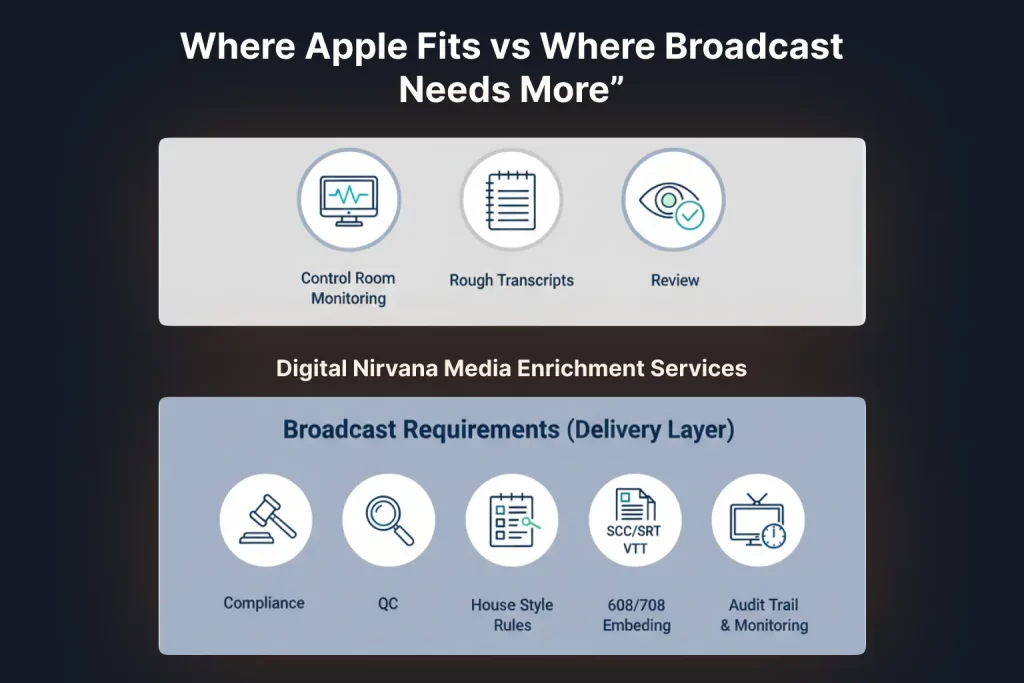
In a professional broadcast workflow, Apple AI captioning can play several useful roles.
1. Assistive Captions For Operators And Talent
Production and control room staff using Macs or iPads can enable Live Captions to follow calls, feeds, and conferences more easily, especially in noisy environments or when audio is mixed across many sources.
This improves situational awareness but does not create a deliverable caption file for air.
2. Fast Rough Transcripts For Producers And Editors
Editors working on Mac-based NLEs can:
- Capture guide audio from rough cuts through Live Captions.
- Use Apple Intelligence and Shortcuts to generate draft transcripts and summaries.
These drafts help with paper edits, shot lists, and promo script development.
3. Review And Collaboration During Post
Stakeholders can review cuts on Apple devices with Live Captions enabled, helping non-native speakers or people with hearing loss follow content without waiting for final captions.
In all three cases, Apple AI captioning runs locally on Apple hardware and prioritizes accessibility and productivity. Broadcast workflows need more.
Limitations Of Native Apple Captioning For Broadcasters
From a broadcast operations perspective, Apple AI captioning has significant limitations when used as a primary caption source.
- No native broadcast caption formats
Apple Live Captions are displayed on-screen, not exported as CEA-608 or CEA-708 data, SCC, SRT, or WebVTT files that playout and OTT systems expect. - Limited control over style rules and guidelines
Professional captioning must conform to style guides, reading speeds, line length limits, and positioning rules. Apple’s accessibility features give end users visual control but are not designed around broadcast house styles or regulator guidance. - No integrated caption conformance or regulatory checks
Tools such as Digital Nirvana’s caption conformance services exist because caption timing, completeness, and accuracy are regulated and audited in many markets. Apple AI captioning does not include these layers. - Single device, single user orientation
Apple’s Live Captions processes audio on the device and displays captions. They are not, by default, shared services that can feed multiple channels or delivery endpoints from a central workflow.
This is why broadcasters typically rely on specialised captioning platforms and AI captioning workflows that support SDI and IP ingest, standards-based caption output, human review, and integration with automation and compliance tools.
The opportunity is to use Apple AI captioning where it is strongest and connect it to broadcast-grade captioning pipelines provided by Digital Nirvana and similar vendors.
Designing a Production-Ready AI Captioning Workflow
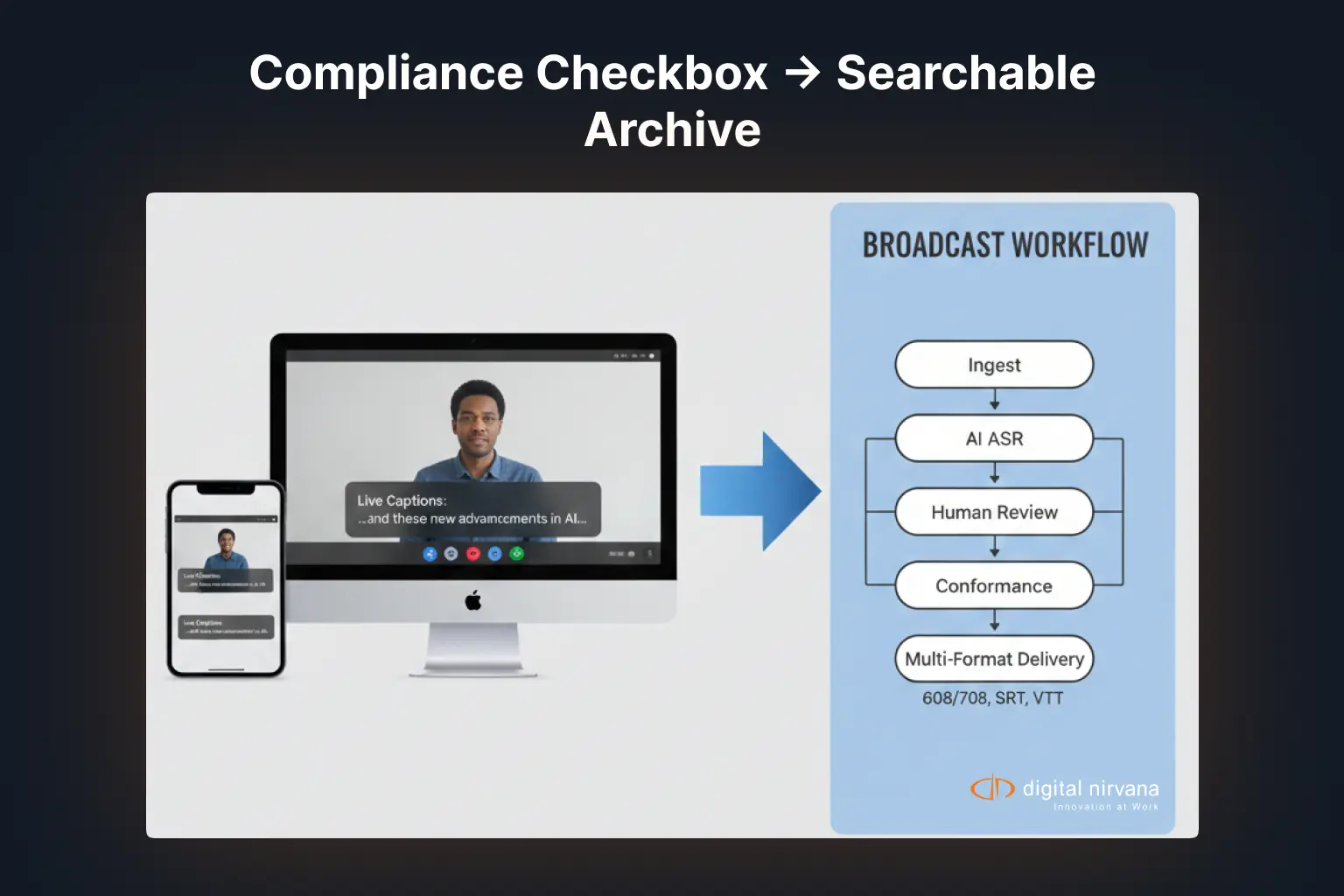
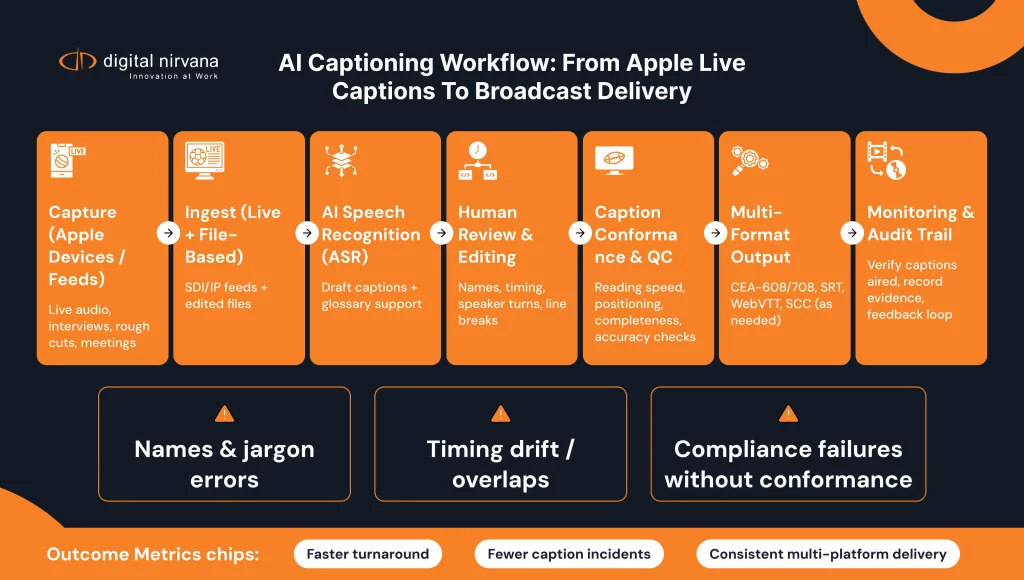
A modern AI captioning workflow for broadcast usually includes these stages.
Ingest And Audio Capture
- Live SDI or IP feeds enter your production environment.
- File-based content arrives from edit, field production, or external partners.
Core AI Captioning Engine
- ASR (automatic speech recognition) converts audio to text in real time or near real time.
- Domain-specific models and dictionaries handle show names, brands, and jargon.
Human Review And Caption Editing
- Caption editors correct errors, split lines, and fine-tune timing.
- Caption conformance checks ensure output meets regulatory and platform guidelines.
Packaging And Delivery
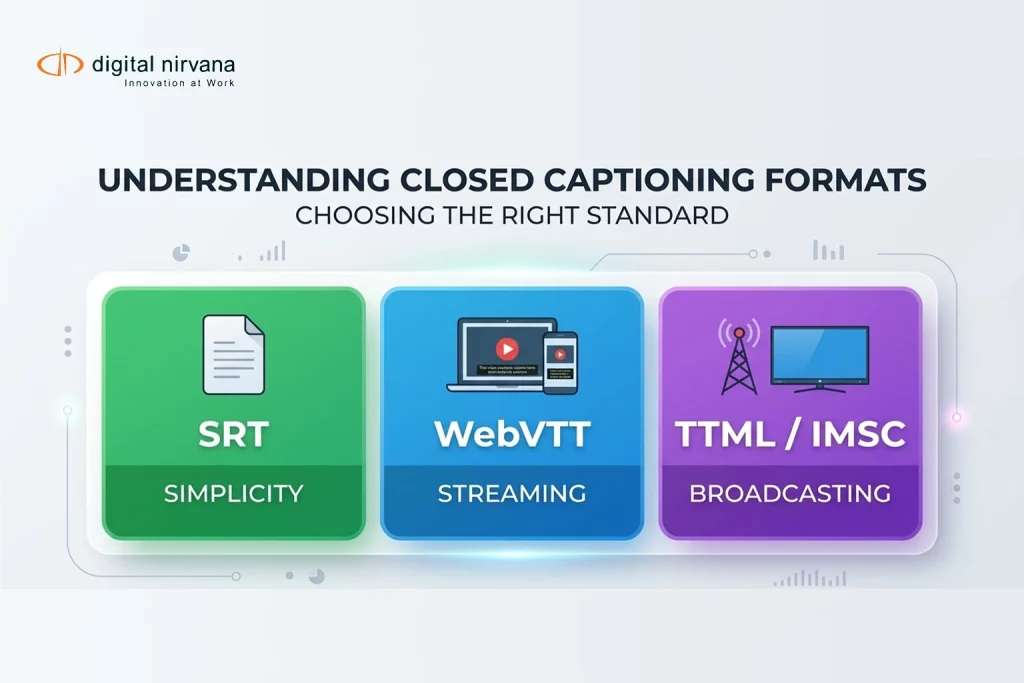
- Output is generated in CEA-608 or CEA-708 for broadcast, and in sidecar formats such as SRT and WebVTT for OTT and social platforms.
- Files and streams are archived and indexed for compliance and reuse.
Within this framework, “Apple AI captioning” can be treated as a valuable assistive source at the edges, but it needs to feed into a more robust workflow if you want predictable, multi-platform results.
How Digital Nirvana Bridges Apple AI And Broadcast Grade Captioning
Digital Nirvana’s media enrichment solutions are built to provide that bridge. They combine AI-powered captioning, transcription, subtitling, translation, and metadata enrichment with human review and standards-based outputs.
Here is how they connect with Apple AI captioning in a practical way.
1. Using Apple Devices For Capture, Digital Nirvana For Delivery
- Producers or editors capture rough transcripts and notes using Live Captions on Mac or iPhone when recording interviews or voice-overs.
- Those files and reference texts are ingested into Digital Nirvana’s captioning and transcription services, including cloud-based closed captioning and live captioning.
This reduces logging time while still producing fully compliant captions for air.
2. Automating The Heavy Lifting With AI Captioning Workflow Engines
Digital Nirvana uses advanced ASR and AI-driven workflows, for example, via its Trance and MediaServicesIQ platforms, to automate transcript generation and caption creation across live and file-based content.
In this model:
- Apple AI captioning helps teams capture more context earlier in the process.
- Digital Nirvana’s cloud workflows generate the deliverable captions, subtitles, and translations, aligned to house style and compliance standards.
3. Enriching Captions With Metadata
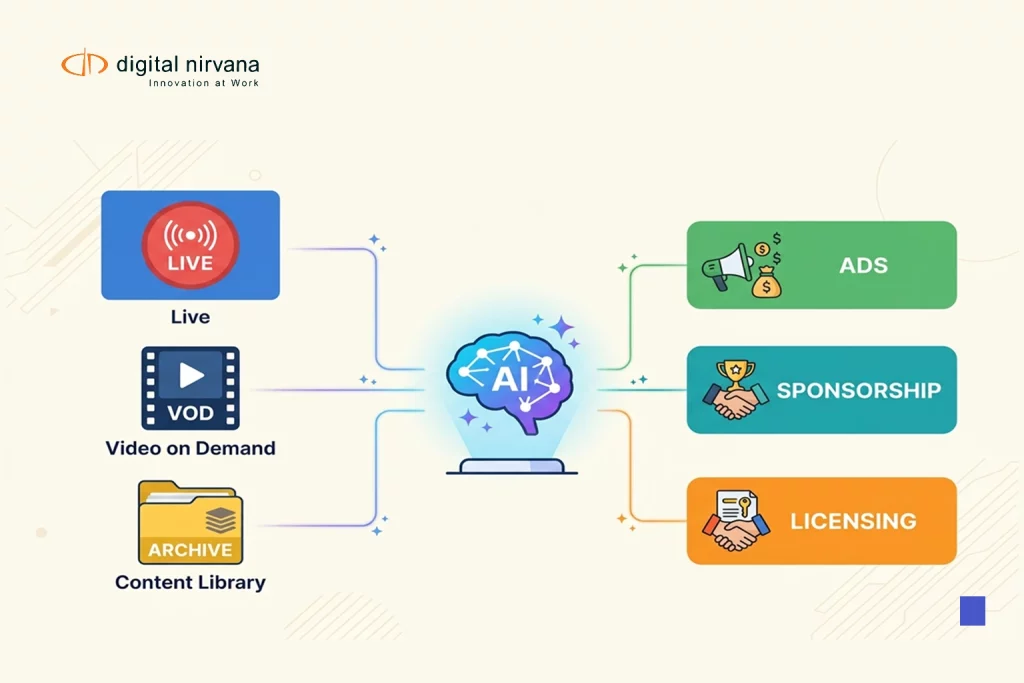
Digital Nirvana’s solutions also support tagging content with rich metadata, including topics, speakers, and key moments, which can be used later for search, recommendations, and monetisation.
That means your AI captioning workflow does more than satisfy accessibility rules. It also lays the foundation for better discovery and content reuse across broadcast, OTT, and digital platforms.
Compliance, QC, And Accessibility Considerations
When you operationalize Apple AI captioning inside a broadcast environment, three risk areas need special attention.
Regulatory Compliance
- Different markets have specific caption requirements for accuracy, timing, and completeness.
- A professional captioning partner helps interpret standards and apply them consistently across channels.
Apple’s Live Captions are not a substitute for this layer, but they can support internal review and accessibility.
Quality Control
- AI captioning engines can misinterpret names, technical terms, and overlapping speakers.
- QC teams and human captioners should review high-value content and sensitive programming, using Digital Nirvana’s caption conformance and review workflows.
Accessibility Experience
- Apple’s accessibility features make life easier for staff and audiences on Apple devices through Live Captions and adjustable subtitles.
- Broadcast captions must provide a consistent experience across set-top boxes, smart TVs, mobile apps, and web players, which is where standards-based output from Digital Nirvana is critical.
The goal is a workflow where Apple AI captioning enhances accessibility and productivity, while Digital Nirvana ensures compliance, quality, and reach.
Implementation Blueprint For Apple AI Captioning Workflows
Here is a practical blueprint for operationalizing Apple AI captioning in a professional environment.
1. Define Use Cases And Boundaries
- Decide where Apple AI captioning will be used, for example, producer desktops, edit suites, remote shoots, or internal review.
- Clarify that final captions for broadcast and OTT will come from a central AI captioning workflow managed by Digital Nirvana.
2. Standardize Capture Practices On Apple Devices
- Train staff to enable and configure Live Captions on Mac and iPhone for meetings, interviews, and reviews.
- Document how these rough transcripts are saved, named, and passed into the captioning pipeline.
3. Integrate With Digital Nirvana’s Media Enrichment Solutions
- Connect ingest, storage, or playout systems to Digital Nirvana’s media enrichment and captioning services.
- Configure AI captioning workflows for live, fast turn, and long-form programs, with human review where needed.
4. Add Caption Conformance And QC Checks
- Introduce caption conformance as a standard step before air and before file delivery to OTT.
- Use Digital Nirvana’s tools to validate timing, formatting, and completeness.
5. Close The Loop With Monitoring And Feedback
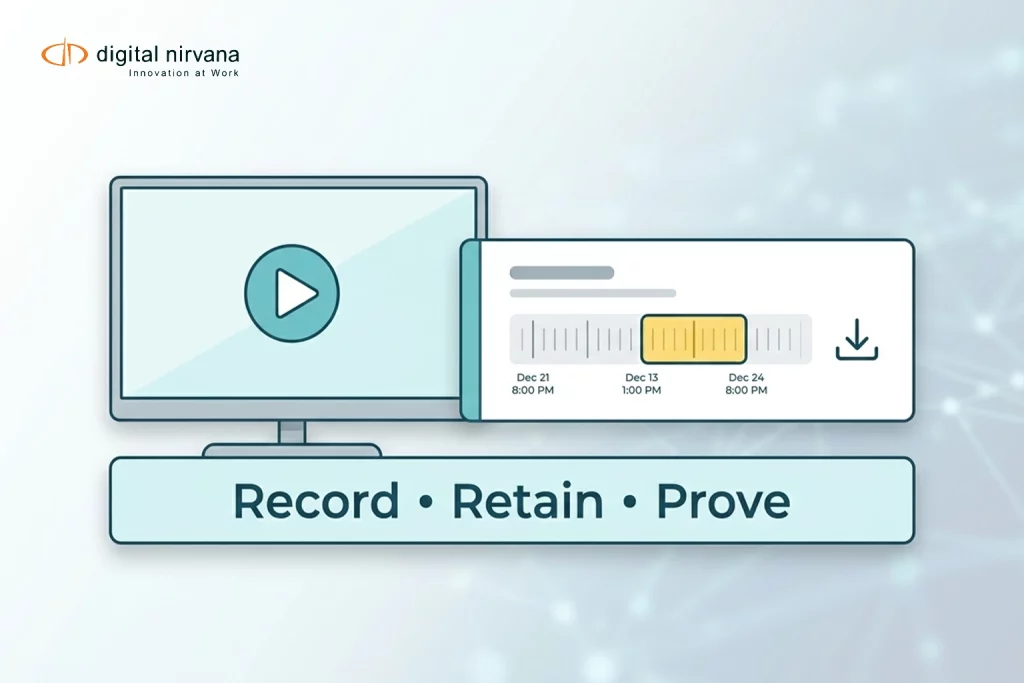
- Combine caption data with monitoring tools, such as Digital Nirvana’s MonitorIQ, to verify that captions aired correctly and to capture recordings for audits.
- Use feedback from operations, compliance, and viewers to refine AI models, word lists, and workflows over time.
KPIs To Measure Success
To understand whether your Apple AI captioning strategy and AI captioning workflow are working, track a mix of operational and business KPIs, for example:
- Turnaround time from content ingest to caption-ready delivery.
- Percentage of content that passes caption conformance on the first attempt.
- Number of caption-related compliance incidents or complaints per quarter.
- Staff time spent on manual transcription and caption creation before and after deployment.
- Viewer engagement and completion rates for captioned versus non-captioned or poorly captioned content.
Broadcasters that combine AI captioning with strong workflows and human oversight typically report lower costs, faster delivery, and better accessibility outcomes.
FAQs
In this context, Apple AI captioning refers to using Apple’s Live Captions and Apple Intelligence features on Mac, iPhone, and iPad to generate real-time captions and transcripts for audio and video. These features are extremely helpful for accessibility and internal workflows, but they are not full replacements for broadcast captioning systems that output standards-based caption files and streams.
Live Captions are designed as an on-device accessibility feature. They do not natively output broadcast caption formats or integrate with your automation and playout stack. For on-air use, you should route audio through a professional AI captioning workflow and captioning provider, such as Digital Nirvana, that generates compliant caption data and files for each platform.
Producers and editors can use Apple AI captioning to capture quick transcripts during interviews, rough cuts, and reviews, which speeds up scripting and shot selection. These rough outputs can then be passed into Digital Nirvana’s media enrichment and captioning services to create accurate, compliant captions and subtitles without starting from a blank page.
Digital Nirvana turns scattered AI capabilities into a coherent captioning and media enrichment workflow. It delivers cloud-based closed captioning, live captioning, transcription, and translation with AI assistance plus human review, generates all required broadcast and OTT formats, and provides caption conformance and monitoring support. Apple AI captioning becomes an input and assistive layer, while Digital Nirvana ensures end-to-end quality and compliance.
Start small. Identify one or two teams that already rely on Macs and iPhones for production. Enable Apple AI captioning for internal use, then connect your existing ingest and playout systems to Digital Nirvana’s media enrichment solutions for formal captioning. Monitor time savings, error rates, and compliance outcomes, and expand once you see consistent improvements.
Conclusion
Apple AI captioning changes what is possible at the individual level. A producer with a MacBook or an iPhone can get live, on-device captions for almost any audio source with minimal setup. That is a powerful step forward for accessibility and productivity inside broadcast and media organisations.
On its own, however, it is not enough for professional distribution. Broadcast workflows must satisfy regulators, support a wide range of platforms, and maintain quality across thousands of hours of content. That means you need a structured AI captioning workflow that turns AI recognition into compliant, multi-format captions that you can trust.
Digital Nirvana’s media enrichment solutions provide that structure. By combining AI-driven captioning with expert human review, caption conformance, and integration with your existing infrastructure, you can operationalize Apple AI captioning rather than treating it as a side experiment.
The next step is simple. Decide where Apple AI captioning can give your teams an immediate boost, connect those touchpoints to a broadcast-grade captioning workflow, and measure how much faster and more reliable your caption operations become.